Appearance
AttractDollKit
↑今までのあらすじ。
追加したい機能
- 自発的な会話
- VisionAPIによるカメラ対応
- できたら
- leapmotionでのインタラクション
- 製品の紹介
自発的な会話
とりあえず起動時にもうwakewordsが投げかけられている状態にしたい。
visionapiを使って人を認識して自分から話しかけるようにするならそこら辺の拡張性は維持した状態で開発しとくと楽そう。
できれば会話開始ボタンとかとりあえずおいてそれ押したら会話開始とかにできるように考えてみたい。
AIAvatarというコードがそこらへん管理してそう。
AIAvatar
csharpusing System; using System.Collections.Generic; using System.Threading; using UnityEngine; using Cysharp.Threading.Tasks; using ChatdollKit.Dialog; using ChatdollKit.LLM; using ChatdollKit.Model; using ChatdollKit.SpeechListener; using ChatdollKit.SpeechSynthesizer; namespace ChatdollKit { public class AIAvatar : MonoBehaviour { public static string VERSION = "0.8.4.1"; [Header("Avatar lifecycle settings")] [SerializeField] private float conversationTimeout = 10.0f; [SerializeField] private float idleTimeout = 60.0f; private float modeTimer = 60.0f; public enum AvatarMode { Disabled, Sleep, Idle, Conversation, } public AvatarMode Mode { get; private set; } = AvatarMode.Idle; private AvatarMode previousMode = AvatarMode.Idle; [Header("SpeechListener settings")] public float VoiceRecognitionThresholdDB = -50.0f; public float VoiceRecognitionRaisedThresholdDB = -15.0f; [SerializeField] private float conversationSilenceDurationThreshold = 0.4f; [SerializeField] private float conversationMinRecordingDuration = 0.3f; [SerializeField] private float conversationMaxRecordingDuration = 10.0f; [SerializeField] private float idleSilenceDurationThreshold = 0.3f; [SerializeField] private float idleMinRecordingDuration = 0.2f; [SerializeField] private float idleMaxRecordingDuration = 3.0f; [SerializeField] private bool showMessageWindowOnWake = true; public enum MicrophoneMuteStrategy { None, Threshold, Mute, StopDevice, StopListener } public MicrophoneMuteStrategy MicrophoneMuteBy = MicrophoneMuteStrategy.Mute; [Header("WakeWord settings")] public List<WordWithAllowance> WakeWords; public List<string> CancelWords; public List<WordWithAllowance> InterruptWords; public List<string> IgnoreWords = new List<string>() { "。", "、", "?", "!" }; public int WakeLength; [Header("ChatdollKit components")] public ModelController ModelController; public DialogProcessor DialogProcessor; public LLMContentProcessor LLMContentProcessor; public MicrophoneManager MicrophoneManager; public ISpeechListener SpeechListener; public MessageWindowBase UserMessageWindow; public MessageWindowBase CharacterMessageWindow; [Header("Error")] [SerializeField] private string ErrorVoice; [SerializeField] private string ErrorFace; [SerializeField] private string ErrorAnimationParamKey; [SerializeField] private int ErrorAnimationParamValue; private DialogProcessor.DialogStatus previousDialogStatus = DialogProcessor.DialogStatus.Idling; public Func<string, UniTask> OnWakeAsync { get; set; } public List<ProcessingPresentation> ProcessingPresentations = new List<ProcessingPresentation>(); private void Awake() { // Get ChatdollKit components MicrophoneManager = MicrophoneManager ?? gameObject.GetComponent<MicrophoneManager>(); ModelController = ModelController ?? gameObject.GetComponent<ModelController>(); DialogProcessor = DialogProcessor ?? gameObject.GetComponent<DialogProcessor>(); LLMContentProcessor = LLMContentProcessor ?? gameObject.GetComponent<LLMContentProcessor>(); SpeechListener = gameObject.GetComponent<ISpeechListener>(); // Setup MicrophoneManager MicrophoneManager.SetNoiseGateThresholdDb(VoiceRecognitionThresholdDB); // Setup ModelController ModelController.OnSayStart = async (voice, token) => { if (!string.IsNullOrEmpty(voice.Text)) { if (CharacterMessageWindow != null) { if (voice.PreGap > 0) { await UniTask.Delay((int)(voice.PreGap * 1000)); } _ = CharacterMessageWindow.ShowMessageAsync(voice.Text, token); } } }; ModelController.OnSayEnd = () => { CharacterMessageWindow?.Hide(); }; // Setup DialogProcessor var neutralFaceRequest = new List<FaceExpression>() { new FaceExpression("Neutral") }; DialogProcessor.OnRequestRecievedAsync = async (text, payloads, token) => { // Control microphone at first before AI's speech if (MicrophoneMuteBy == MicrophoneMuteStrategy.StopDevice) { MicrophoneManager.StopMicrophone(); } else if (MicrophoneMuteBy == MicrophoneMuteStrategy.StopListener) { SpeechListener.StopListening(); } else if (MicrophoneMuteBy == MicrophoneMuteStrategy.Mute) { MicrophoneManager.MuteMicrophone(true); } else if (MicrophoneMuteBy == MicrophoneMuteStrategy.Threshold) { MicrophoneManager.SetNoiseGateThresholdDb(VoiceRecognitionRaisedThresholdDB); } // Presentation if (ProcessingPresentations.Count > 0) { var animAndFace = ProcessingPresentations[UnityEngine.Random.Range(0, ProcessingPresentations.Count)]; ModelController.StopIdling(); ModelController.Animate(animAndFace.Animations); ModelController.SetFace(animAndFace.Faces); } // Show user message if (UserMessageWindow != null && !string.IsNullOrEmpty(text)) { if (!showMessageWindowOnWake && payloads != null && payloads.ContainsKey("IsWakeword") && (bool)payloads["IsWakeword"]) { // Don't show message window on wakeword } else { await UserMessageWindow.ShowMessageAsync(text, token); } } // Restore face to neutral ModelController.SetFace(neutralFaceRequest); }; #pragma warning disable CS1998 DialogProcessor.OnEndAsync = async (endConversation, token) => { // Control microphone after response / error shown if (MicrophoneMuteBy == MicrophoneMuteStrategy.StopDevice) { MicrophoneManager.StartMicrophone(); } else if (MicrophoneMuteBy == MicrophoneMuteStrategy.StopListener) { SpeechListener.StartListening(); } else if (MicrophoneMuteBy == MicrophoneMuteStrategy.Mute) { MicrophoneManager.MuteMicrophone(false); } else if (MicrophoneMuteBy == MicrophoneMuteStrategy.Threshold) { MicrophoneManager.SetNoiseGateThresholdDb(VoiceRecognitionThresholdDB); } if (endConversation) { // Change to idle mode immediately Mode = AvatarMode.Idle; modeTimer = idleTimeout; if (!token.IsCancellationRequested) { // NOTE: Cancel is triggered not only when just canceled but when invoked another chat session // Restart idling animation and reset face expression ModelController.StartIdling(); } } }; DialogProcessor.OnStopAsync = async (forSuccessiveDialog) => { // Stop speaking immediately ModelController.StopSpeech(); // Start idling only when no successive dialogs are allocated if (!forSuccessiveDialog) { ModelController.StartIdling(); } }; #pragma warning restore CS1998 DialogProcessor.OnErrorAsync = OnErrorAsyncDefault; // Setup LLM ContentProcessor LLMContentProcessor.HandleSplittedText = (contentItem) => { // Convert to AnimatedVoiceRequest var avreq = ModelController.ToAnimatedVoiceRequest(contentItem.Text); avreq.StartIdlingOnEnd = contentItem.IsFirstItem; if (contentItem.IsFirstItem) { if (avreq.AnimatedVoices[0].Faces.Count == 0) { // Reset face expression at the beginning of animated voice avreq.AddFace("Neutral"); } } contentItem.Data = avreq; }; #pragma warning disable CS1998 LLMContentProcessor.ProcessContentItemAsync = async (contentItem, token) => { if (contentItem.Data is AnimatedVoiceRequest avreq) { // Prefetch the voice from TTS service foreach (var av in avreq.AnimatedVoices) { foreach (var v in av.Voices) { if (v.Text.Trim() == string.Empty) continue; ModelController.PrefetchVoices(new List<Voice>(){new Voice( v.Text, 0.0f, 0.0f, v.TTSConfig, true, string.Empty )}, token); } } } }; #pragma warning restore CS1998 LLMContentProcessor.ShowContentItemAsync = async (contentItem, cancellationToken) => { if (contentItem.Data is AnimatedVoiceRequest avreq) { await ModelController.AnimatedSay(avreq, cancellationToken); } }; // Setup SpeechListner SpeechListener.OnRecognized = OnSpeechListenerRecognized; SpeechListener.ChangeSessionConfig( silenceDurationThreshold: idleSilenceDurationThreshold, minRecordingDuration: idleMinRecordingDuration, maxRecordingDuration: idleMaxRecordingDuration ); // Setup SpeechSynthesizer foreach (var speechSynthesizer in gameObject.GetComponents<ISpeechSynthesizer>()) { if (speechSynthesizer.IsEnabled) { ModelController.SpeechSynthesizerFunc = speechSynthesizer.GetAudioClipAsync; break; } } } private void Update() { UpdateMode(); if (DialogProcessor.Status == DialogProcessor.DialogStatus.Idling) { if (Mode == AvatarMode.Conversation) { if (DialogProcessor.Status != previousDialogStatus) { SpeechListener.ChangeSessionConfig( silenceDurationThreshold: conversationSilenceDurationThreshold, minRecordingDuration: conversationMinRecordingDuration, maxRecordingDuration: conversationMaxRecordingDuration ); UserMessageWindow?.Show("Listening..."); } } else { if (Mode != previousMode) { SpeechListener.ChangeSessionConfig( silenceDurationThreshold: idleSilenceDurationThreshold, minRecordingDuration: idleMinRecordingDuration, maxRecordingDuration: idleMaxRecordingDuration ); UserMessageWindow?.Hide(); } } } previousDialogStatus = DialogProcessor.Status; previousMode = Mode; } private void UpdateMode() { if (DialogProcessor.Status != DialogProcessor.DialogStatus.Idling && DialogProcessor.Status != DialogProcessor.DialogStatus.Error) { Mode = AvatarMode.Conversation; modeTimer = conversationTimeout; return; } if (Mode == AvatarMode.Sleep) { return; } modeTimer -= Time.deltaTime; if (modeTimer > 0) { return; } if (Mode == AvatarMode.Conversation) { Mode = AvatarMode.Idle; modeTimer = idleTimeout; } else if (Mode == AvatarMode.Idle) { Mode = AvatarMode.Sleep; modeTimer = 0.0f; } } private string ExtractWakeWord(string text) { var textLower = text.ToLower(); foreach (var iw in IgnoreWords) { textLower = textLower.Replace(iw.ToLower(), string.Empty); } foreach (var ww in WakeWords) { var wwText = ww.Text.ToLower(); if (textLower.Contains(wwText)) { var prefix = textLower.Substring(0, textLower.IndexOf(wwText)); var suffix = textLower.Substring(textLower.IndexOf(wwText) + wwText.Length); if (prefix.Length <= ww.PrefixAllowance && suffix.Length <= ww.SuffixAllowance) { return text; } } } if (WakeLength > 0) { if (textLower.Length >= WakeLength) { return text; } } return string.Empty; } private string ExtractCancelWord(string text) { var textLower = text.ToLower().Trim(); foreach (var iw in IgnoreWords) { textLower = textLower.Replace(iw.ToLower(), string.Empty); } foreach (var cw in CancelWords) { if (textLower == cw.ToLower()) { return cw; } } return string.Empty; } private string ExtractInterruptWord(string text) { var textLower = text.ToLower(); foreach (var iw in IgnoreWords) { textLower = textLower.Replace(iw.ToLower(), string.Empty); } foreach (var w in InterruptWords) { var itrwText = w.Text.ToLower(); if (textLower.Contains(itrwText)) { var prefix = textLower.Substring(0, textLower.IndexOf(itrwText)); var suffix = textLower.Substring(textLower.IndexOf(itrwText) + itrwText.Length); if (prefix.Length <= w.PrefixAllowance && suffix.Length <= w.SuffixAllowance) { return text; } } } return string.Empty; } public void Chat(string text = null, Dictionary<string, object> payloads = null) { if (string.IsNullOrEmpty(text.Trim())) { if (WakeWords.Count > 0) { text = WakeWords[0].Text; } else { Debug.LogWarning("Can't start chat without request text"); return; } } _ = DialogProcessor.StartDialogAsync(text, payloads); } public void StopChat(bool continueDialog = false) { _ = StopChatAsync(); } public async UniTask StopChatAsync(bool continueDialog = false) { if (continueDialog) { // Just stop current AI's turn await DialogProcessor.StopDialog(); } else { // Stop AI's turn and wait for idling status await DialogProcessor.StopDialog(waitForIdling: true); // Change AvatarMode to Idle not to show user message window Mode = AvatarMode.Idle; modeTimer = idleTimeout; } } public void AddProcessingPresentaion(List<Model.Animation> animations, List<FaceExpression> faces) { ProcessingPresentations.Add(new ProcessingPresentation() { Animations = animations, Faces = faces }); } private async UniTask OnErrorAsyncDefault(string text, Dictionary<string, object> payloads, Exception ex, CancellationToken token) { var errorAnimatedVoiceRequest = new AnimatedVoiceRequest(); if (!string.IsNullOrEmpty(ErrorVoice)) { errorAnimatedVoiceRequest.AddVoice(ErrorVoice); } if (!string.IsNullOrEmpty(ErrorFace)) { errorAnimatedVoiceRequest.AddFace(ErrorFace, 5.0f); } if (!string.IsNullOrEmpty(ErrorAnimationParamKey)) { errorAnimatedVoiceRequest.AddAnimation(ErrorAnimationParamKey, ErrorAnimationParamValue, 5.0f); } await ModelController.AnimatedSay(errorAnimatedVoiceRequest, token); } private async UniTask OnSpeechListenerRecognized(string text) { if (!string.IsNullOrEmpty(text)) { if (!string.IsNullOrEmpty(ExtractCancelWord(text))) { await StopChatAsync(); return; } if (!string.IsNullOrEmpty(ExtractInterruptWord(text))) { await StopChatAsync(continueDialog: true); return; } } if (Mode >= AvatarMode.Conversation) { // Send text directly _ = DialogProcessor.StartDialogAsync(text); } else if (Mode > AvatarMode.Disabled) { // Send text if wakeword is extracted if (!string.IsNullOrEmpty(ExtractWakeWord(text))) { if (OnWakeAsync != null) { await OnWakeAsync(text); } _ = DialogProcessor.StartDialogAsync(text, new Dictionary<string, object>() { {"IsWakeword", true} }); } } } public void ChangeSpeechListener(ISpeechListener speechListener) { SpeechListener.StopListening(); SpeechListener = speechListener; SpeechListener.OnRecognized = OnSpeechListenerRecognized; } public class ProcessingPresentation { public List<Model.Animation> Animations { get; set; } = new List<Model.Animation>(); public List<FaceExpression> Faces { get; set; } } [Serializable] public class WordWithAllowance { public string Text; public int PrefixAllowance = 4; public int SuffixAllowance = 4; } } }
この中の
csharp
        private async UniTask OnSpeechListenerRecognized(string text)
        {
            if (!string.IsNullOrEmpty(text))
            {
                if (!string.IsNullOrEmpty(ExtractCancelWord(text)))
                {
                    await StopChatAsync();
                    return;
                }

                if (!string.IsNullOrEmpty(ExtractInterruptWord(text)))
                {
                    await StopChatAsync(continueDialog: true);
                    return;
                }
            }

            if (Mode >= AvatarMode.Conversation)
            {
                // Send text directly
                _ = DialogProcessor.StartDialogAsync(text);
            }
            else if (Mode > AvatarMode.Disabled)
            {
            //ーーーーーーーここらへんーーーーーーーーー
                // Send text if wakeword is extracted
                if (!string.IsNullOrEmpty(ExtractWakeWord(text)))
                {
                    if (OnWakeAsync != null)
                    {
                        await OnWakeAsync(text);
                    }
                    _ = DialogProcessor.StartDialogAsync(text, new Dictionary<string, object>() { {"IsWakeword", true} });
                }
            }
        }
ここが会話の開始とか管理してそう。
if (!string.IsNullOrEmpty(ExtractWakeWord(text))) ここのif文を消したらとりあえず私が話しかけたら~の前提で話しかけてくれるようになった。
でもボタンを押したら~とか、前を通る人を認識したら~という処理にするなら、今の処理は条件が足りない。
今の処理だとなんでも話しかけたら会話を始めるという処理にしているのでもし展示会で出したら雑音を聞いて誰もいないところに勝手に話し始めてしまう。
ここら辺も絡んでそうなのでとりあえず読みます。
DialogProcessor
csharpusing System; using System.Collections.Generic; using System.Threading; using UnityEngine; using Cysharp.Threading.Tasks; using ChatdollKit.LLM; namespace ChatdollKit.Dialog { public class DialogProcessor : MonoBehaviour { // Dialog Status public enum DialogStatus { Idling, Initializing, Routing, Processing, Responding, Finalizing, Error } public DialogStatus Status { get; private set; } private string processingId { get; set; } private CancellationTokenSource dialogTokenSource { get; set; } // Actions for each status public Func<string, Dictionary<string, object>, CancellationToken, UniTask> OnStartAsync { get; set; } public Func<string, Dictionary<string, object>, CancellationToken, UniTask> OnRequestRecievedAsync { get; set; } public Func<string, Dictionary<string, object>, ILLMSession, CancellationToken, UniTask> OnResponseShownAsync { get; set; } public Func<bool, CancellationToken, UniTask> OnEndAsync { get; set; } public Func<bool, UniTask> OnStopAsync { get; set; } public Func<string, Dictionary<string, object>, Exception, CancellationToken, UniTask> OnErrorAsync { get; set; } // LLM private ILLMService llmService { get; set; } private LLMContentProcessor llmContentProcessor { get; set; } private Dictionary<string, ITool> toolResolver { get; set; } = new Dictionary<string, ITool>(); private List<ILLMTool> toolSpecs { get; set; } = new List<ILLMTool>(); public LLMServiceExtensions LLMServiceExtensions { get; } = new LLMServiceExtensions(); public ILLMService LLMService { get { return llmService; }} private void Awake() { // Select enabled LLMService SelectLLMService(); Debug.Log($"LLMService: {llmService}"); llmContentProcessor = GetComponent<LLMContentProcessor>(); // Register tool to toolResolver and its spec to toolSpecs LoadLLMTools(); Status = DialogStatus.Idling; } // OnDestroy private void OnDestroy() { dialogTokenSource?.Cancel(); dialogTokenSource?.Dispose(); dialogTokenSource = null; } public void SelectLLMService(ILLMService llmService = null) { var llmServices = gameObject.GetComponents<ILLMService>(); if (llmService != null) { this.llmService = llmService; foreach (var llms in llmServices) { llms.IsEnabled = llms == llmService; } return; } if (llmServices.Length == 0) { Debug.LogError($"No LLMServices found"); return; } foreach (var llms in llmServices) { if (llms.IsEnabled) { this.llmService = llms; return; } } Debug.LogWarning($"No enabled LLMServices found. Enable {llmServices[0]} to use."); llmServices[0].IsEnabled = true; this.llmService = llmServices[0]; } public void LoadLLMTools() { toolResolver.Clear(); toolSpecs.Clear(); foreach (var tool in gameObject.GetComponents<ITool>()) { var toolSpec = tool.GetToolSpec(); toolResolver.Add(toolSpec.name, tool); toolSpecs.Add(toolSpec); } } // Start dialog public async UniTask StartDialogAsync(string text, Dictionary<string, object> payloads = null) { if (string.IsNullOrEmpty(text) && (payloads == null || payloads.Count == 0)) { return; } Status = DialogStatus.Initializing; processingId = Guid.NewGuid().ToString(); var currentProcessingId = processingId; // Stop running dialog and get cancellation token await StopDialog(true); var token = GetDialogToken(); try { if (token.IsCancellationRequested) { return; } UniTask OnRequestRecievedTask; if (OnRequestRecievedAsync != null) { OnRequestRecievedTask = OnRequestRecievedAsync(text, payloads, token); } else { OnRequestRecievedTask = UniTask.Delay(1); } // A little complex to keep compatibility with v0.7.x var llmPayloads = new Dictionary<string, object>() { {"RequestPayloads", payloads ?? new Dictionary<string, object>()} }; // Configure LLMService llmService.Tools = toolSpecs; LLMServiceExtensions.SetExtentions(llmService); // Call LLM var messages = await llmService.MakePromptAsync("_", text, llmPayloads, token); var llmSession = await llmService.GenerateContentAsync(messages, llmPayloads, token: token); // Tool call Status = DialogStatus.Routing; if (!string.IsNullOrEmpty(llmSession.FunctionName)) { if (toolResolver.ContainsKey(llmSession.FunctionName)) { var tool = toolResolver[llmSession.FunctionName]; Status = DialogStatus.Processing; llmSession = await tool.ProcessAsync(llmService, llmSession, llmPayloads, token); if (token.IsCancellationRequested) { return; } } } // Start parsing voices, faces and animations var processContentStreamTask = llmContentProcessor.ProcessContentStreamAsync(llmSession, token); // Await thinking performance before showing response await OnRequestRecievedTask; // Show response Status = DialogStatus.Responding; var showContentTask = llmContentProcessor.ShowContentAsync(llmSession, token); // Wait for API stream ends await llmSession.StreamingTask; if (llmService.OnStreamingEnd != null) { await llmService.OnStreamingEnd(llmSession, token); } // Wait parsing and performance await processContentStreamTask; await showContentTask; if (token.IsCancellationRequested) { return; } if (OnResponseShownAsync != null) { await OnResponseShownAsync(text, payloads, llmSession, token); } } catch (Exception ex) { if (!token.IsCancellationRequested) { Status = DialogStatus.Error; Debug.LogError($"Error at StartDialogAsync: {ex.Message}\n{ex.StackTrace}"); // Stop running animation and voice then get new token to say error await StopDialog(true); token = GetDialogToken(); if (OnErrorAsync != null) { await OnErrorAsync(text, payloads, ex, token); } } } finally { Status = DialogStatus.Finalizing; if (OnEndAsync != null) { try { await OnEndAsync(false, token); } catch (Exception fex) { Debug.LogError($"Error in finally at StartDialogAsync: {fex.Message}\n{fex.StackTrace}"); } } if (currentProcessingId == processingId) { // Reset status when another dialog is not started Status = DialogStatus.Idling; } } } // Stop chat public async UniTask StopDialog(bool forSuccessiveDialog = false, bool waitForIdling = false) { // Cancel the tasks and dispose the token source if (dialogTokenSource != null) { dialogTokenSource.Cancel(); dialogTokenSource.Dispose(); dialogTokenSource = null; } if (waitForIdling) { var startTime = Time.time; while (Status != DialogStatus.Idling) { if (Time.time - startTime > 1.0f) { Debug.LogWarning($"Dialog status doesn't change to idling in 1 second. (Status: {Status})"); break; } await UniTask.Delay(10); } } if (OnStopAsync != null) { await OnStopAsync(forSuccessiveDialog); } } // LLM Context management public List<ILLMMessage> GetContext(int count) { return llmService?.GetContext(count); } public void ClearContext() { llmService?.ClearContext(); } // Get cancellation token for tasks invoked in chat public CancellationToken GetDialogToken() { // Create new TokenSource and return its token dialogTokenSource = new CancellationTokenSource(); return dialogTokenSource.Token; } } public class LLMServiceExtensions { public Action <Dictionary<string, string>, ILLMSession> HandleExtractedTags { get; set; } public Func<string, UniTask<byte[]>> CaptureImage { get; set; } public Func<ILLMSession, CancellationToken, UniTask> OnStreamingEnd { get; set; } public void SetExtentions(ILLMService llmService) { llmService.HandleExtractedTags = HandleExtractedTags; llmService.CaptureImage = CaptureImage; llmService.OnStreamingEnd = OnStreamingEnd; } } }
もしかしたら画像のキャプチャができるのかもしれない、拡張性として有るっぽい気がします。
CaptureImageプロパティは、LLMサービスが画像を必要とする際に画像をキャプチャするための関数を提供します。
らしい。
↓使えそう。
UnityでDlibFaceLandmarkDetectorを利用した顔器官検出アプリ事始め - Qiita
AIと相談して、めちゃくちゃ推されているOpenCV
11/29
とにかくウェブカメラ取り込みなど追加要件の地の部分の知識がなさ過ぎてどうしようもない気がしてきたのでそっちを先に勉強、実装してみる。
なんとなく設計
ウェブカメラでリアルタイムに景色を認識
もし人が映り込んだらwakewordsを投げかけられた状態にするメソッドを走らせる。
ーーーここから優先度低めーーー
最初に話しかける言葉をこっちから設定する(これはChatGPTに指示飛ばせばできそうな気がする。)
映り込んだ人の特徴を把握する(眼鏡だとか服の色だとか(?))これはやり方がわからない。
必要技術の勉強
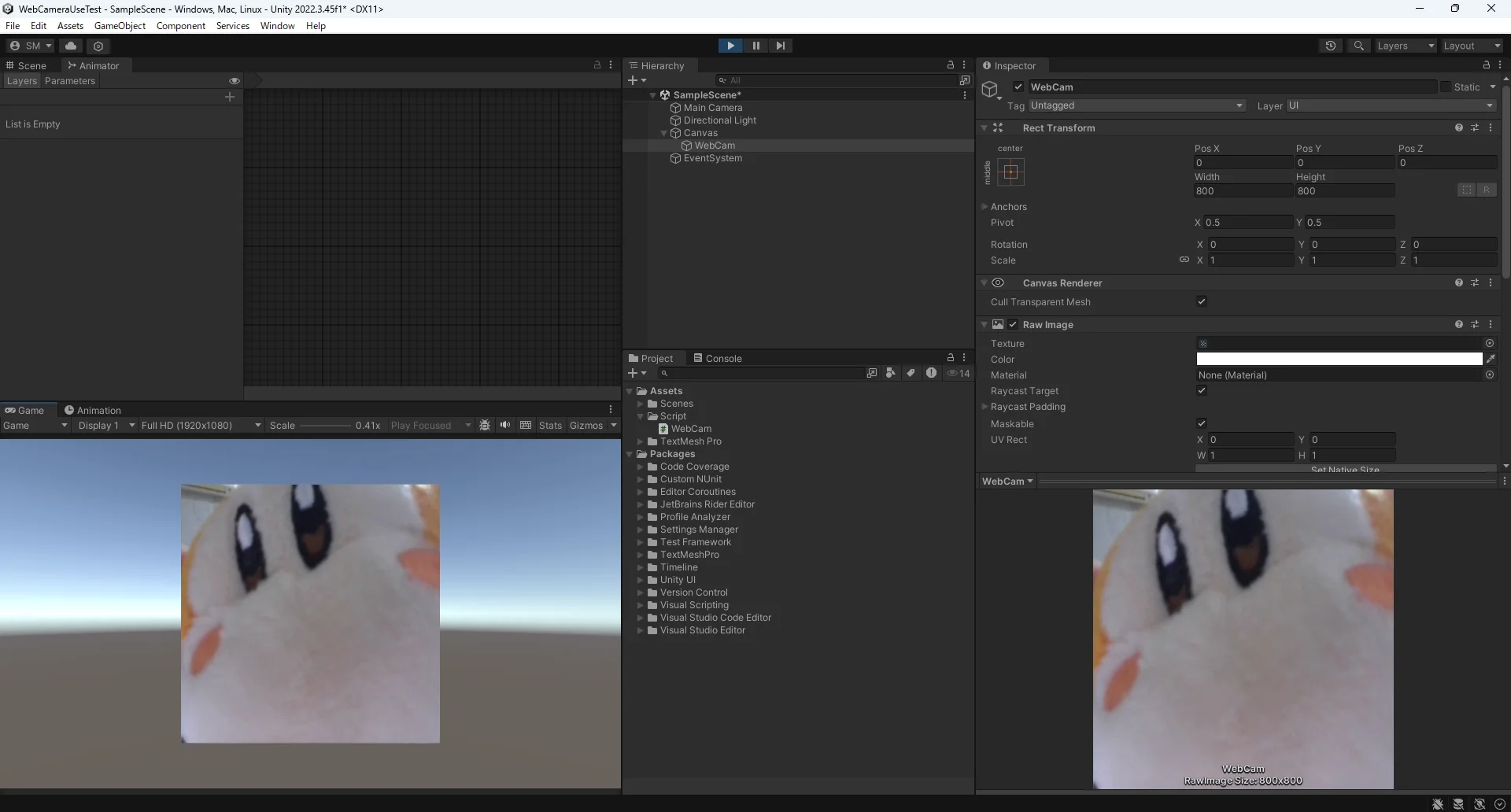
↑ウェブカメラがunityで取り込めた。
毎フレームでAPIに画像送信してると重く成るっぽいので何秒間隔かくらいで画像とって送信する形にしたい。
試験的に↑のプロジェクトを使って数フレーム毎になにが移っているかを判定するコードを開発してみてます。
ChatGPTと相談しながらコードの追加をしました。
WebCam
csharpusing System.Collections; using System.Collections.Generic; using UnityEngine; using UnityEngine.UI; public class WebCam : MonoBehaviour { private static int INPUT_SIZE = 256; private static int FPS = 30; RawImage rawimage; WebCamTexture webcam; private void Awake() { this.rawimage = GetComponent<RawImage>(); this.webcam = new WebCamTexture(INPUT_SIZE, INPUT_SIZE, FPS); this.rawimage.texture = this.webcam; this.webcam.Play(); } public Texture2D GetFrame() { Texture2D snap = new Texture2D(webcam.width, webcam.height, TextureFormat.RGB24, false); snap.SetPixels(webcam.GetPixels()); snap.Apply(); return snap; } }OpenAIVision
csharpusing System.Collections; using System.Collections.Generic; using UnityEngine; using UnityEngine.UI; using UnityEngine.Networking; using Newtonsoft.Json; using Newtonsoft.Json.Linq; using Cysharp.Threading.Tasks; using System.Threading; using System; using UnityEngine.UIElements; using System.Xml.Serialization; public class OpenAIVision : MonoBehaviour { public WebCam webcam; public Text resultText; [SerializeField] string apiKey; private CancellationTokenSource cancellationTokenSource; private void Start() { cancellationTokenSource = new CancellationTokenSource(); RunVisionAsync().Forget(); } private void OnDestroy() { cancellationTokenSource.Cancel(); cancellationTokenSource.Dispose(); } private async UniTaskVoid RunVisionAsync() { while (!cancellationTokenSource.Token.IsCancellationRequested) { await ProcessImageAsync(); await UniTask.Delay(TimeSpan.FromSeconds(1), cancellationToken: cancellationTokenSource.Token); } } private async UniTask ProcessImageAsync() { Texture2D snap = webcam.GetFrame(); byte[] imageBytes = snap.EncodeToJPG(); string base64Image = Convert.ToBase64String(imageBytes); var messages = new JArray { new JObject { ["role"] = "user", ["content"] = new JArray { new JObject { ["type"] = "text", ["text"] = "What is in this image?" }, new JObject { ["type"] = "image_url", ["image_url"] = new JObject { ["url"] = $"data:image/jpeg;base64,{base64Image}" } } } } }; var requestData = new JObject { ["model"] = "gpt-4", ["messages"] = messages }; string jsonRequestBody = requestData.ToString(); using (var www = new UnityWebRequest("https://api.openai.com/v1/chat/completions", "POST")) { byte[] bodyRaw = System.Text.Encoding.UTF8.GetBytes(jsonRequestBody); www.uploadHandler = new UploadHandlerRaw(bodyRaw); www.downloadHandler = new DownloadHandlerBuffer(); www.SetRequestHeader("Content-Type", "application/json"); www.SetRequestHeader("Authorization",$"Bearer{apiKey}"); var operation = www.SendWebRequest(); try { await operation.WithCancellation(cancellationTokenSource.Token); if (www.result != UnityWebRequest.Result.Success) { Debug.LogError($"Error:{www.error}"); resultText.text = $"Error: {www.error}"; } else { var jsonResponse = www.downloadHandler.text; JObject responseObject = JObject.Parse(jsonResponse); var choices = responseObject["choces"]; if (choices != null && choices.HasValues) { var message = choices[0]["message"]; var content = message["content"]; if (content != null) { resultText.text = content.ToString(); } else { resultText.text = "No content in response."; } } else { resultText.text = "No choces in response."; } } } catch (OperationCanceledException) { Debug.Log("Request canceled"); } catch(Exception ex) { Debug.LogError($"Exception:{ex.Message}"); resultText.text = $"Exception:{ex.Message}"; } } } }
まだ全くコメントがついてないです。ごめんなさい。
エラーが出てます。
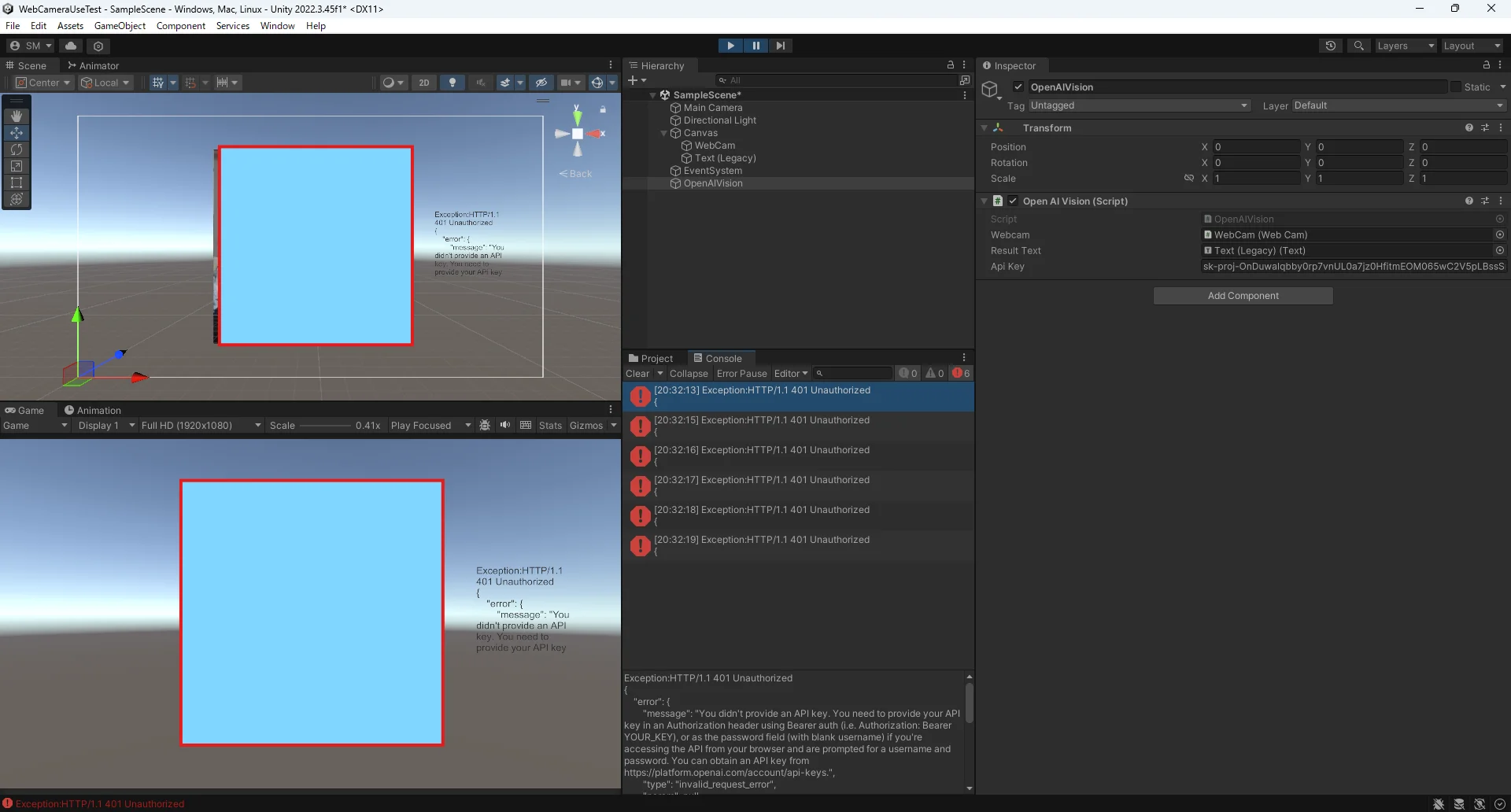
csharp
Exception:HTTP/1.1 401 Unauthorized
{
    "error": {
        "message": "You didn't provide an API key. You need to provide your API key in an Authorization header using Bearer auth (i.e. Authorization: Bearer YOUR_KEY), or as the password field (with blank username) if you're accessing the API from your browser and are prompted for a username and password. You can obtain an API key from https://platform.openai.com/account/api-keys.",
        "type": "invalid_request_error",
        "param": null,
        "code": null
    }
}

UnityEngine.Debug:LogError (object)
OpenAIVision/<ProcessImageAsync>d__7:MoveNext () (at Assets/Script/OpenAIVision.cs:132)
Cysharp.Threading.Tasks.CompilerServices.AsyncUniTask`1<OpenAIVision/<ProcessImageAsync>d__7>:Run () (at ./Library/PackageCache/com.cysharp.unitask@f9fd769be7/Runtime/CompilerServices/StateMachineRunner.cs:189)
Cysharp.Threading.Tasks.AwaiterActions:Continuation (object) (at ./Library/PackageCache/com.cysharp.unitask@f9fd769be7/Runtime/UniTask.cs:25)
Cysharp.Threading.Tasks.UniTaskCompletionSourceCore`1<UnityEngine.Networking.UnityWebRequest>:TrySetException (System.Exception) (at ./Library/PackageCache/com.cysharp.unitask@f9fd769be7/Runtime/UniTaskCompletionSource.cs:167)
Cysharp.Threading.Tasks.UnityAsyncExtensions/UnityWebRequestAsyncOperationConfiguredSource:Continuation (UnityEngine.AsyncOperation) (at ./Library/PackageCache/com.cysharp.unitask@f9fd769be7/Runtime/UnityAsyncExtensions.cs:1203)
UnityEngine.AsyncOperation:InvokeCompletionEvent ()
多分アタッチしてるAPIキーがまちがっているのかもしれない。
apiキーどれをアタッチしても認識してくれない。
接続はしてくれるようになったが、接続先のモデルが画像に対応していないらしい。
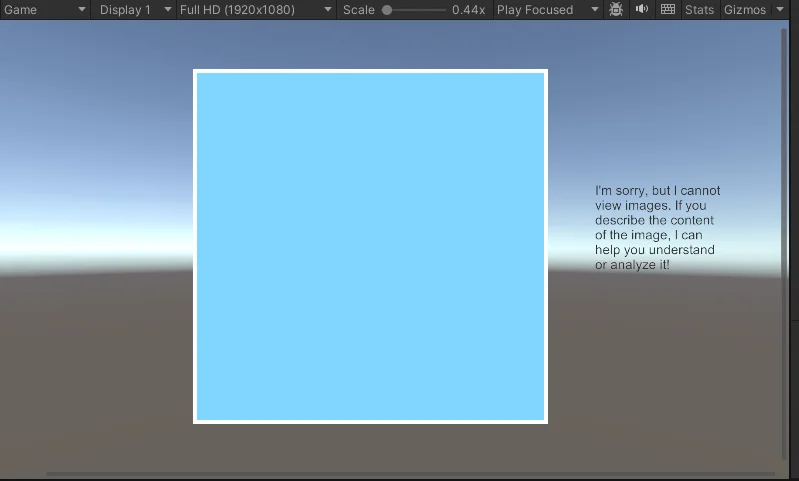
接続先はgpt-4oにしてみたり、gpt-4o-miniにしてみたりしていますがメッセージは変わらず。
そもそもAPI接続の仕組みもやり方もウェブの接続の仕方もわからないのでそこらへんちょっと調べます。
12/2
勉強
APIはこちらからAPIへの要求、APIでの処理実行、APIからこちらへの処理結果の応答で動いてる。
webAPIではwebAPIに対してHTTPやHTTPSといったプロトコルでリクエストを送って機能を利用する。
応答はXMLやJSONデータで行われるのでそれを解析して使うことになる。
JSONペイロードとは、HTTPでデータをやり取りするときのデータの本体のこと。
HTTPリクエストの構成要素は以下。
- HTTPメソッド
- リクエストの目的を示すもの。
- GET サーバーからデータを取得
- POST サーバーにデータを送信
- PUT サーバー上のデータを更新
- DELETE サーバー上のデータを削除
- UnityではUnityWebRequestメソッドがその役割を担っているらしい(?)
- UnityWebRequestは引数がurl,メソッドになっているので、このメソッドの部分に”POST”とか入れてあげればいいっぽい。
- リクエストの目的を示すもの。
- URL
- 接続先のアドレス、サーバー上の特定の機能を指定したりする。
- ヘッダー
- リクエストについての追加情報など。
- UnityではUnityWebRequest.SetRequestHeaderメソッドを使って設定するらしい。引数の例↓
- (”Content-Type”,”application/json”)
- これでリクエストのボディがJSON方式であることを伝えているらしい。
- ("Authorization”,$”Bearer {apiKey}”)
- Bearerはアクセス権限を示すための呪文らしい。
- これでapiの認証情報を渡しているらしい。
- (”Content-Type”,”application/json”)
- ボディ
- サーバーに送信するデータ本体
- UnityではUploadHandlerRawを使って設定する。
- JSON形式の文字列はネットワーク通信で送信可能なバイト系列に変換しなきゃいけない。
- UnityではUploadHandlerRawを使って設定する。
- サーバーに送信するデータ本体
JSONについて
JSONの定義の仕方はUnityではJObjectを使って行う。
送るときはstringにもどしてから送る。
chatGPTapiの返答方法について
csharp
var messages = new JArray
{
    new JObject
    {
        ["role"] = "user",
        ["content"] = "What is in this image?",
        ["image"] = new JObject
        {
            ["type"] = "image/jpeg",
            ["data"] = base64Image
        }
    }
};
こうすると、
- role = user
- content = what is in this image
- image =
- type = image/jpeg
- data = base64image
みたくなるっぽい
↓勉強した内容を含めてコメント付けた版。
コード
csharpusing System; using System.Threading; using UnityEngine; using UnityEngine.UI; using UnityEngine.Networking; using Newtonsoft.Json.Linq; using Cysharp.Threading.Tasks; public class OpenAIVision : MonoBehaviour { public WebCam webcam; public Text resultText; [SerializeField] string apiKey; private CancellationTokenSource cancellationTokenSource; private void Start() { cancellationTokenSource = new CancellationTokenSource(); RunVisionAsync().Forget(); } private void OnDestroy() { cancellationTokenSource.Cancel(); cancellationTokenSource.Dispose(); } private async UniTaskVoid RunVisionAsync() { while (!cancellationTokenSource.Token.IsCancellationRequested) { await ProcessImageAsync(); await UniTask.Delay(TimeSpan.FromSeconds(1), cancellationToken: cancellationTokenSource.Token); } } private async UniTask ProcessImageAsync() { if (string.IsNullOrEmpty(apiKey)) { Debug.LogError("APIキーが設定されていません。"); resultText.text = "APIキーが設定されていません。"; return; } // webcam が初期化されるまで待機 while (webcam == null || webcam.GetFrame() == null) { await UniTask.DelayFrame(1, cancellationToken: cancellationTokenSource.Token); } //カメラ画像の作成、エンコード Texture2D camsnap = webcam.GetFrame(); if (camsnap == null) { Debug.LogError("Failed to get frame from webcam."); return; } byte[] camimageBytes = camsnap.EncodeToJPG(); string base64camImage = Convert.ToBase64String(camimageBytes); string dataUrl = $"data:image/jpeg;base64,{base64camImage}"; // ボディ_リクエストの作成 var messages = new JArray { new JObject { ["role"] = "user", ["content"] = $"What is in this image? {dataUrl}" } }; //ボディ var requestData = new JObject { ["model"] = "gpt-4o-mini", ["messages"] = messages }; string jsonRequestBody = requestData.ToString(); //HTTPメソッド using (var www = new UnityWebRequest("https://api.openai.com/v1/chat/completions", "POST")) { //ボディを送信可能な形にしている。 byte[] bodyRaw = System.Text.Encoding.UTF8.GetBytes(jsonRequestBody); www.uploadHandler = new UploadHandlerRaw(bodyRaw); www.downloadHandler = new DownloadHandlerBuffer(); //ヘッダー www.SetRequestHeader("Content-Type", "application/json"); www.SetRequestHeader("Authorization", $"Bearer {apiKey}"); var operation = www.SendWebRequest(); try { await operation.WithCancellation(cancellationTokenSource.Token); if (www.result != UnityWebRequest.Result.Success) { Debug.LogError($"Error: {www.error}"); resultText.text = $"Error: {www.error}"; } else { var jsonResponse = www.downloadHandler.text; JObject responseObject = JObject.Parse(jsonResponse); var choices = responseObject["choices"]; if (choices != null && choices.HasValues) { var message = choices[0]["message"]; var content = message["content"]; if (content != null) { resultText.text = content.ToString(); } else { resultText.text = "No content in response."; } } else { resultText.text = "No choices in response."; } } } catch (OperationCanceledException) { Debug.Log("Request canceled"); } catch (Exception ex) { Debug.LogError($"Exception: {ex.Message}"); resultText.text = $"Exception: {ex.Message}"; } } } }
このコードで返答帰ってくるまではできる。
でもこのコードだとbase64にエンコードされたデータは読み込めません(要約)というテキストが返ってくる。
帰ってきているテキスト
I'm unable to view images directly, including those encoded in base64. However, if you provide a description of the image or its content, I may be able to help you analyze or understand it further.
(base64でエンコードされたものを含め、画像を直接見ることはできません。しかし、画像やその内容の説明をいただければ、それをさらに分析したり理解したりするお手伝いができるかもしれません。)
画像を送れているがアクセスしているモデルが処理できないという旨のテキストを返してきているだけみたいな感じ。
山本さんに参考にいただいたコードでアクセスしているAIと同じものをつかって、山本さんもbase64にエンコードしたものをurl化して送っているのに、何が違うのか本当にわからない。
12/3
山本さんに助言を求めた結果、渡すJSONの中身が違ったみたいです。
これが正しい。
csharp
        var requestData = new JObject
        {
            ["model"] = "gpt-4o-mini",
            ["messages"] = new JArray
            {
                new JObject
                {
                    ["role"] = "user",
                    ["content"] = new JArray
                    {
                        new JObject
                        {
                            ["type"] = "text",
                            ["text"] = "What is in this image? 返答は日本語でしなさい。"
                        },
                        new JObject
                        {
                            ["type"] = "image_url",
                            ["image_url"] = new JObject
                            {
                                ["url"] = $"data:image/jpeg;base64,{base64camImage}"
                            }
                        }
                    }
                }
            },
            ["max_tokens"] = 300
        };
imageurlの詰め方が違ったっぽいです。
typeの指定をして、その中に入れるみたいな感じ。
ウェブカメラの画像を見て状況が確認できるようになったのでこれをAttractDollKitに組み込んで利用しようと思います。
AttractDollKitに組み込むにあたっていろいろきれいにしました。
- 変更したコードと変更点
WebCam(画像のキャプチャ)コード→ImageCaptureService
webcameraのキャプチャにのみ責任を持つようにしてます。こいつはそこまで変えてない。インターフェースつけたくらいです。
csharpusing System.Collections; using System.Collections.Generic; using UnityEngine; public interface IImageCaptureService { Texture2D CaptureImage(); } public class ImageCaptureService : MonoBehaviour, IImageCaptureService { private WebCamTexture webcamTexture; private void Start() { webcamTexture = new WebCamTexture(); webcamTexture.Play(); } //キャプチャして返すやつ。 public Texture2D CaptureImage() { Texture2D texture = new Texture2D(webcamTexture.width, webcamTexture.height); texture.SetPixels(webcamTexture.GetPixels()); texture.Apply(); return texture; } }OpenAIVision(OpenAIVisionとの通信)コード→CommunicateVisionAPI
API通信のみ責任を持つようにしたうえで、メソッドを機能別に分離してきれいに書きなおしました。
csharpusing System.Collections; using System.Collections.Generic; using UnityEngine; using System.Threading.Tasks; using System.Threading; using UnityEngine.Networking; using Newtonsoft.Json.Linq; using static System.Net.WebRequestMethods; using Cysharp.Threading.Tasks; using UnityEngine.UI; using System; using System.Linq.Expressions; public interface ICommunicateVAPI { UniTask<string> AnalyzeImageAsync(Texture2D image, CancellationToken cancellationToken); } public class CommunicateVisionAPI : MonoBehaviour,ICommunicateVAPI { [SerializeField] private string apiKey; private readonly string apiUrl = "https://api.openai.com/v1/chat/completions"; public async UniTask<string> AnalyzeImageAsync(Texture2D camsnap, CancellationToken cancellationToken) { if (string.IsNullOrEmpty(apiKey)) { Debug.LogError("apiKeyが設定されていません。"); return null; } byte[] camimageBytes = camsnap.EncodeToJPG(); string base64camImage = Convert.ToBase64String(camimageBytes); string jsonRequestBody = CreateRequestBody(base64camImage); //HTTPメソッド using (var www = new UnityWebRequest(apiUrl, "POST")) { //ボディを送信可能な形にしている。 byte[] bodyRaw = System.Text.Encoding.UTF8.GetBytes(jsonRequestBody); www.uploadHandler = new UploadHandlerRaw(bodyRaw); www.downloadHandler = new DownloadHandlerBuffer(); //ヘッダー www.SetRequestHeader("Content-Type", "application/json"); www.SetRequestHeader("Authorization", $"Bearer {apiKey}"); var operation = www.SendWebRequest(); try { await operation.WithCancellation(cancellationToken); if (www.result != UnityWebRequest.Result.Success) { Debug.LogError($"Error: {www.error}"); return null; } else { return ParseResponse(www.downloadHandler.text); } } catch (OperationCanceledException) { Debug.Log("Request canceled"); return null; } catch (Exception ex) { Debug.LogError($"CVAPIException:{ex.Message}"); return null; } } } //リクエストデータの作成 private string CreateRequestBody(string base64camImage) { var requestData = new JObject { ["model"] = "gpt-4o-mini", ["messages"] = new JArray { new JObject { ["role"] = "user", ["content"] = new JArray { new JObject { ["type"] = "text", ["text"] = "What is in this image? 返答は日本語でしなさい。" }, new JObject { ["type"] = "image_url", ["image_url"] = new JObject { ["url"] = $"data:image/jpeg;base64,{base64camImage}" } } } } }, ["max_tokens"] = 300 }; return requestData.ToString(); } /// <summary> /// Json形式の文字列をオブジェクトに変換して、必要なデータを抽出するメソッド。 /// </summary> private string ParseResponse(string jsonResponse) { try { JObject responseObject = JObject.Parse(jsonResponse); var choices = responseObject["choices"]; if (choices != null && choices.HasValues) { var message = choices[0]["message"]; var content = message["content"]; if (content != null) { return content.ToString(); } } } catch (Exception ex) { Debug.LogError($"JSON Parse Error: {ex.Message}"); } return null; } }
既存スクリプトの機能拡張
既存スクリプトを継承してオーバーライドしたりすることで機能拡張をしました。
ChatGPTService を拡張 ExtendChatGPTService
画像を含めたリクエストを送信するように拡張
csharpusing System.Collections; using System.Collections.Generic; using UnityEngine; using Cysharp.Threading.Tasks; using ChatdollKit.LLM.ChatGPT; using ChatdollKit.LLM; using System.Threading; using System; public class ExtendChatGPTService : ChatGPTService { public IImageCaptureService ImageCaptureService { get; set; } public override async UniTask<List<ILLMMessage>> MakePromptAsync(string userID, string inputText, Dictionary<string, object> payloads, CancellationToken token = default) { var messages = new List<ILLMMessage>(); //システムメッセージ if(!string.IsNullOrEmpty(SystemMessageContent)) { messages.Add(new ChatGPTSystemMessage(SystemMessageContent)); } //履歴の表示 messages.AddRange(GetContext(historyTurns * 2)); //メッセージに画像を追加 var contentParts = new List<IContentPart> { new TextContentPart(inputText) }; //画像の追加 var image = ImageCaptureService?.CaptureImage(); if (image != null) { byte[] imageBytes = image.EncodeToJPG(); string base64Image = Convert.ToBase64String(imageBytes); contentParts.Add(new ImageUrlContentPart($"data:image/jpeg;base64,{base64Image}")); } messages.Add(new ChatGPTUserMessage(contentParts)); return messages; } }DialogProcessorを拡張 ExtendDialogProcessor
画像認識処理ダイアログ処理に組み込むように拡張
csharpusing System.Collections; using System.Collections.Generic; using UnityEngine; using Cysharp.Threading.Tasks; using ChatdollKit.Dialog; using System.Threading; public class ExtendedDialogProcessor : DialogProcessor { private CommunicateVisionAPI CommunicateVisionAPI; private ImageCaptureService ImageCaptureService; private void Awake() { base.Awake(); CommunicateVisionAPI = GetComponent<CommunicateVisionAPI>(); ImageCaptureService = GetComponent<ImageCaptureService>(); } public override async UniTask StartDialogAsync(string text, Dictionary<string, object> payloads = null) { // 画像認識結果を取得 var imageCaptureService = GetComponent<IImageCaptureService>(); var image = imageCaptureService?.CaptureImage(); string visionResult = null; if (image != null) { visionResult = await CommunicateVisionAPI.AnalyzeImageAsync(image, CancellationToken.None); } // ペイロードに追加 if (payloads == null) { payloads = new Dictionary<string, object>(); } payloads["VisionResult"] = visionResult; // ベースクラスの処理を呼び出す await base.StartDialogAsync(text, payloads); } }
動かしてみます。
エラーははかないけどしゃべってくれなくなりました。
エラーをはいてくれないのでどこが悪いのか見当がつきません。webcamisnotrunnningもちょっと意味が分からない。
でもウェブカメラはついてるし解析結果のテキストは出ているのでVisionAPIは問題なく動いてそう。
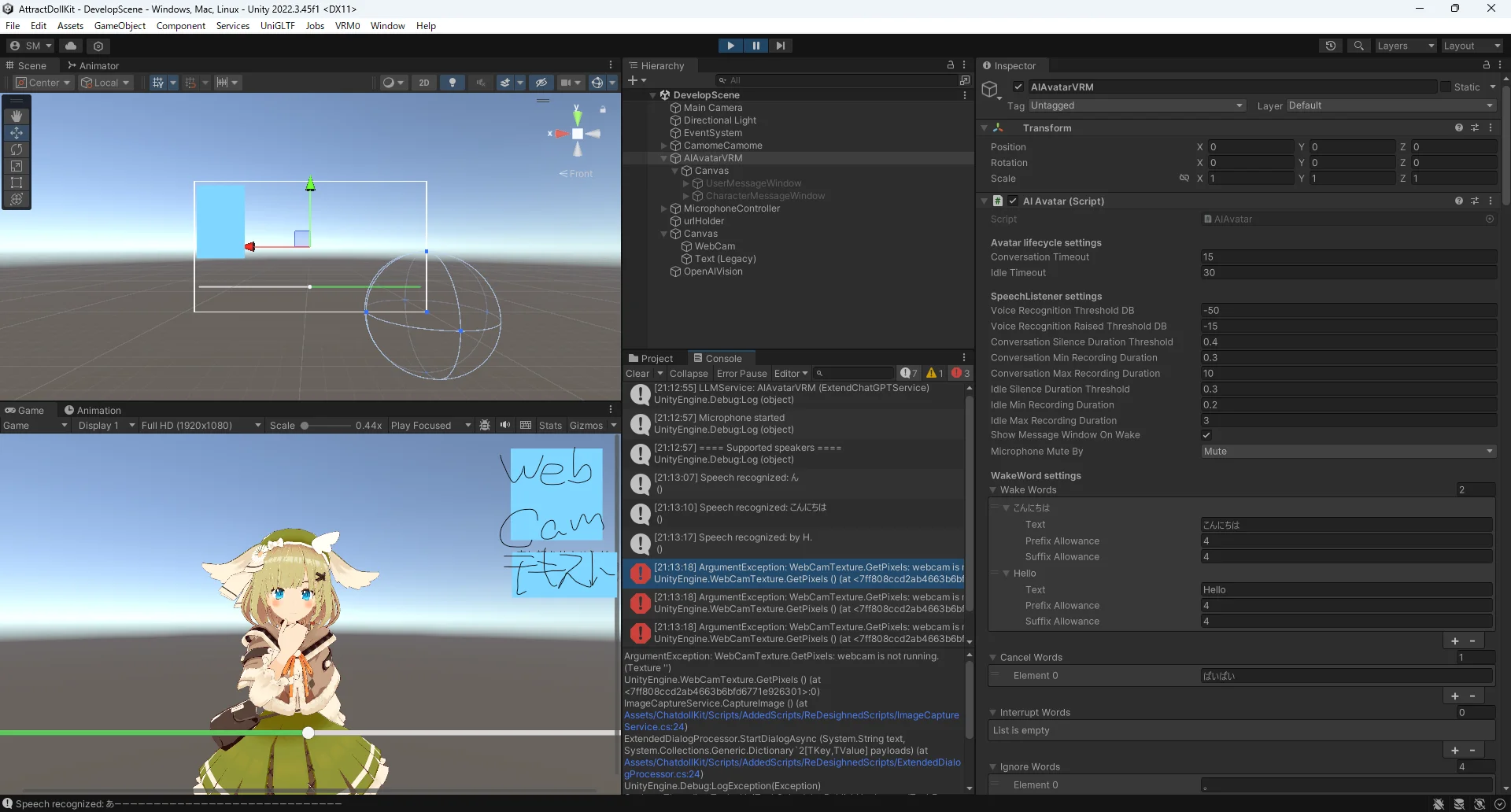
DialogProcessorが会話のスタートなどを管理しているのでそこを見直します。
DialogProcessor
csharpusing System; using System.Collections.Generic; using System.Threading; using UnityEngine; using Cysharp.Threading.Tasks; using ChatdollKit.LLM; namespace ChatdollKit.Dialog { public class DialogProcessor : MonoBehaviour { // Dialog Status public enum DialogStatus { Idling, Initializing, Routing, Processing, Responding, Finalizing, Error } public DialogStatus Status { get; private set; } private string processingId { get; set; } private CancellationTokenSource dialogTokenSource { get; set; } // Actions for each status public Func<string, Dictionary<string, object>, CancellationToken, UniTask> OnStartAsync { get; set; } public Func<string, Dictionary<string, object>, CancellationToken, UniTask> OnRequestRecievedAsync { get; set; } public Func<string, Dictionary<string, object>, ILLMSession, CancellationToken, UniTask> OnResponseShownAsync { get; set; } public Func<bool, CancellationToken, UniTask> OnEndAsync { get; set; } public Func<bool, UniTask> OnStopAsync { get; set; } public Func<string, Dictionary<string, object>, Exception, CancellationToken, UniTask> OnErrorAsync { get; set; } // LLM private ILLMService llmService { get; set; } private LLMContentProcessor llmContentProcessor { get; set; } private Dictionary<string, ITool> toolResolver { get; set; } = new Dictionary<string, ITool>(); private List<ILLMTool> toolSpecs { get; set; } = new List<ILLMTool>(); public LLMServiceExtensions LLMServiceExtensions { get; } = new LLMServiceExtensions(); public ILLMService LLMService { get { return llmService; }} protected void Awake() { // Select enabled LLMService SelectLLMService(); Debug.Log($"LLMService: {llmService}"); llmContentProcessor = GetComponent<LLMContentProcessor>(); // Register tool to toolResolver and its spec to toolSpecs LoadLLMTools(); Status = DialogStatus.Idling; } // OnDestroy private void OnDestroy() { dialogTokenSource?.Cancel(); dialogTokenSource?.Dispose(); dialogTokenSource = null; } public void SelectLLMService(ILLMService llmService = null) { var llmServices = gameObject.GetComponents<ILLMService>(); if (llmService != null) { this.llmService = llmService; foreach (var llms in llmServices) { llms.IsEnabled = llms == llmService; } return; } if (llmServices.Length == 0) { Debug.LogError($"No LLMServices found"); return; } foreach (var llms in llmServices) { if (llms.IsEnabled) { this.llmService = llms; return; } } Debug.LogWarning($"No enabled LLMServices found. Enable {llmServices[0]} to use."); llmServices[0].IsEnabled = true; this.llmService = llmServices[0]; } public void LoadLLMTools() { toolResolver.Clear(); toolSpecs.Clear(); foreach (var tool in gameObject.GetComponents<ITool>()) { var toolSpec = tool.GetToolSpec(); toolResolver.Add(toolSpec.name, tool); toolSpecs.Add(toolSpec); } } // Start dialog public virtual async UniTask StartDialogAsync(string text, Dictionary<string, object> payloads = null) { if (string.IsNullOrEmpty(text) && (payloads == null || payloads.Count == 0)) { return; } Status = DialogStatus.Initializing; processingId = Guid.NewGuid().ToString(); var currentProcessingId = processingId; // Stop running dialog and get cancellation token await StopDialog(true); var token = GetDialogToken(); try { if (token.IsCancellationRequested) { return; } UniTask OnRequestRecievedTask; if (OnRequestRecievedAsync != null) { OnRequestRecievedTask = OnRequestRecievedAsync(text, payloads, token); } else { OnRequestRecievedTask = UniTask.Delay(1); } // A little complex to keep compatibility with v0.7.x var llmPayloads = new Dictionary<string, object>() { {"RequestPayloads", payloads ?? new Dictionary<string, object>()} }; // Configure LLMService llmService.Tools = toolSpecs; LLMServiceExtensions.SetExtentions(llmService); // Call LLM var messages = await llmService.MakePromptAsync("_", text, llmPayloads, token); var llmSession = await llmService.GenerateContentAsync(messages, llmPayloads, token: token); // Tool call Status = DialogStatus.Routing; if (!string.IsNullOrEmpty(llmSession.FunctionName)) { if (toolResolver.ContainsKey(llmSession.FunctionName)) { var tool = toolResolver[llmSession.FunctionName]; Status = DialogStatus.Processing; llmSession = await tool.ProcessAsync(llmService, llmSession, llmPayloads, token); if (token.IsCancellationRequested) { return; } } } // Start parsing voices, faces and animations var processContentStreamTask = llmContentProcessor.ProcessContentStreamAsync(llmSession, token); // Await thinking performance before showing response await OnRequestRecievedTask; // Show response Status = DialogStatus.Responding; var showContentTask = llmContentProcessor.ShowContentAsync(llmSession, token); // Wait for API stream ends await llmSession.StreamingTask; if (llmService.OnStreamingEnd != null) { await llmService.OnStreamingEnd(llmSession, token); } // Wait parsing and performance await processContentStreamTask; await showContentTask; if (token.IsCancellationRequested) { return; } if (OnResponseShownAsync != null) { await OnResponseShownAsync(text, payloads, llmSession, token); } } catch (Exception ex) { if (!token.IsCancellationRequested) { Status = DialogStatus.Error; Debug.LogError($"Error at StartDialogAsync: {ex.Message}\n{ex.StackTrace}"); // Stop running animation and voice then get new token to say error await StopDialog(true); token = GetDialogToken(); if (OnErrorAsync != null) { await OnErrorAsync(text, payloads, ex, token); } } } finally { Status = DialogStatus.Finalizing; if (OnEndAsync != null) { try { await OnEndAsync(false, token); } catch (Exception fex) { Debug.LogError($"Error in finally at StartDialogAsync: {fex.Message}\n{fex.StackTrace}"); } } if (currentProcessingId == processingId) { // Reset status when another dialog is not started Status = DialogStatus.Idling; } } } // Stop chat public async UniTask StopDialog(bool forSuccessiveDialog = false, bool waitForIdling = false) { // Cancel the tasks and dispose the token source if (dialogTokenSource != null) { dialogTokenSource.Cancel(); dialogTokenSource.Dispose(); dialogTokenSource = null; } if (waitForIdling) { var startTime = Time.time; while (Status != DialogStatus.Idling) { if (Time.time - startTime > 1.0f) { Debug.LogWarning($"Dialog status doesn't change to idling in 1 second. (Status: {Status})"); break; } await UniTask.Delay(10); } } if (OnStopAsync != null) { await OnStopAsync(forSuccessiveDialog); } } // LLM Context management public List<ILLMMessage> GetContext(int count) { return llmService?.GetContext(count); } public void ClearContext() { llmService?.ClearContext(); } // Get cancellation token for tasks invoked in chat public CancellationToken GetDialogToken() { // Create new TokenSource and return its token dialogTokenSource = new CancellationTokenSource(); return dialogTokenSource.Token; } } public class LLMServiceExtensions { public Action <Dictionary<string, string>, ILLMSession> HandleExtractedTags { get; set; } public Func<string, UniTask<byte[]>> CaptureImage { get; set; } public Func<ILLMSession, CancellationToken, UniTask> OnStreamingEnd { get; set; } public void SetExtentions(ILLMService llmService) { llmService.HandleExtractedTags = HandleExtractedTags; llmService.CaptureImage = CaptureImage; llmService.OnStreamingEnd = OnStreamingEnd; } } }
StartDiaLogAsyncで会話をスタートさせているのだが、Log仕込んでみたけどStartDialogAsyncがはしってない。
12/5
改造したDialogProcessorを消して元のDialogProcessorを戻してあげたらおしゃべりしてくれるようになりました。
おそらくここから機能を追加するだけなので継承して子クラスにするとかせずに元のクラスに慎重に直接書くことにします。
送信するペイロードに画像の情報を載せたい。
VisionAPIに送るプロンプトを人が写っていたら”はい”とのみ答えるものにした。
これを使ってもし返答が”はい”だったらDialogProcessorのStartDialogAsyncを呼び出すようにしようかと考えていたがそもそも人が写っていることは認識できているのに返答がはいではない。でもエラーも出てない。
山本さんにもらったデモのUserPromptを画像に猫が写っていたら”はい”とのみ答えて下さい、に書き換えたが、はいという返答が返ってこず、普通に画像の説明をしてきた。
この人の形式は上手くプロンプトが送れてるっぽい
OpenAI の Vision API で料理の判別をやってみる
難しそうなので一定時間したら話しかけるみたいなのにする。
スリーブモードは最初から実装されていたのでそこの状態管理に「話しかけたことにする」メソッドを組み込みました。
csharp
private void UpdateMode()
{
    if (DialogProcessor.Status != DialogProcessor.DialogStatus.Idling
        && DialogProcessor.Status != DialogProcessor.DialogStatus.Error)
    {
        Mode = AvatarMode.Conversation;
        modeTimer = conversationTimeout;
        return;
    }

    if (Mode == AvatarMode.Sleep)
    {
        return;
    }

    modeTimer -= Time.deltaTime;
    if (modeTimer > 0)
    {
        return;
    }

    if (Mode == AvatarMode.Conversation)
    {
        Mode = AvatarMode.Idle;
        modeTimer = idleTimeout;
    }
    else if (Mode == AvatarMode.Idle)
    {
        Mode = AvatarMode.Sleep;
        modeTimer = 0.0f;
        //ーーーーーーーーー追記ーーーーーーーー
        StartSelfTalk("こんにちは");
    }
}
StartSelfTalk
csharp
 public void StartSelfTalk(string text)
 {
     Debug.Log(text);
     if (!string.IsNullOrEmpty(text))
     {
         _ = DialogProcessor.StartDialogAsync(text);
     }
 }
こんにちはと話しかけた体にするコードです。
こうすれば向こうはこんにちはと返してきてくれます。
使っていたモデルが商用利用不可だったので商用利用可能モデルに置き換えました。
テストしてたらエラーが出ました。
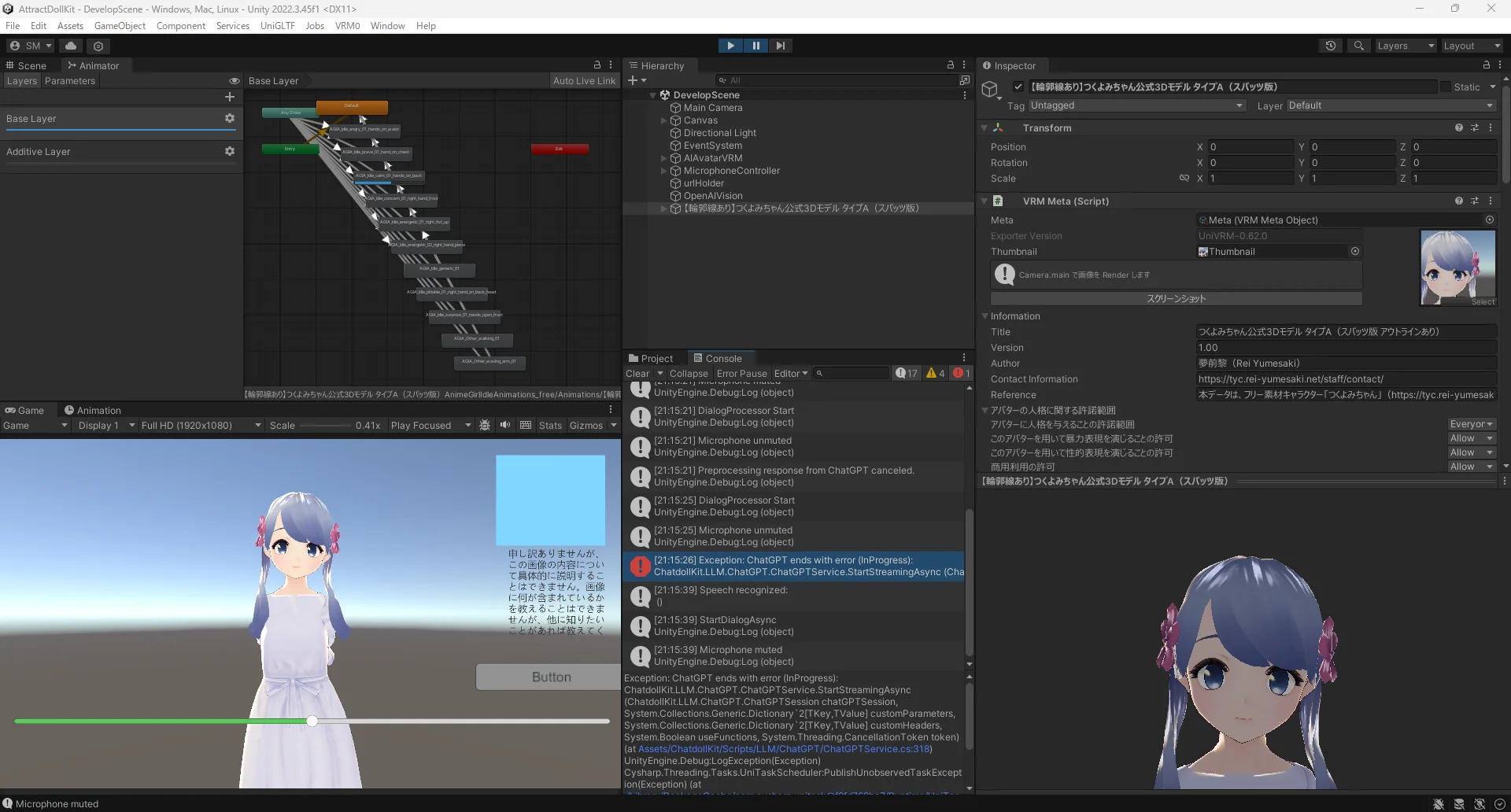
csharp
Exception: ChatGPT ends with error (InProgress):
ChatdollKit.LLM.ChatGPT.ChatGPTService.StartStreamingAsync (ChatdollKit.LLM.ChatGPT.ChatGPTSession chatGPTSession, System.Collections.Generic.Dictionary`2[TKey,TValue] customParameters, System.Collections.Generic.Dictionary`2[TKey,TValue] customHeaders, System.Boolean useFunctions, System.Threading.CancellationToken token) (at Assets/ChatdollKit/Scripts/LLM/ChatGPT/ChatGPTService.cs:318)
UnityEngine.Debug:LogException(Exception)
Cysharp.Threading.Tasks.UniTaskScheduler:PublishUnobservedTaskException(Exception) (at ./Library/PackageCache/com.cysharp.unitask@f9fd769be7/Runtime/UniTaskScheduler.cs:90)
Cysharp.Threading.Tasks.ExceptionHolder:Finalize() (at ./Library/PackageCache/com.cysharp.unitask@f9fd769be7/Runtime/UniTaskCompletionSource.cs:66)
スリープモードをいじったからリクエストが競合しているかもしれないらしい。
コメントアウトしたけど消えない。
このエラーメッセージが出ても普通に動くのでこのエラーコードを表示するスクリプトをコメントアウトしました、何もでなくなりました。
シーンを再生して停止すると
エラー
csharpObjectDisposedException: The CancellationTokenSource has been disposed. OpenAIVision.RunVisionAsync () (at Assets/ChatdollKit/Scripts/AddedScripts/OpenAIVision.cs:34) UnityEngine.Debug:LogException(Exception) Cysharp.Threading.Tasks.UniTaskScheduler:PublishUnobservedTaskException(Exception) (at ./Library/PackageCache/com.cysharp.unitask@f9fd769be7/Runtime/UniTaskScheduler.cs:90) <RunVisionAsync>d__6:MoveNext() (at Assets/ChatdollKit/Scripts/AddedScripts/OpenAIVision.cs:31) Cysharp.Threading.Tasks.CompilerServices.AsyncUniTaskVoid1:Run() (at ./Library/PackageCache/com.cysharp.unitask@f9fd769be7/Runtime/CompilerServices/StateMachineRunner.cs:104) Cysharp.Threading.Tasks.AwaiterActions:Continuation(Object) (at ./Library/PackageCache/com.cysharp.unitask@f9fd769be7/Runtime/UniTask.cs:25) Cysharp.Threading.Tasks.UniTaskCompletionSourceCore1:TrySetResult(AsyncUnit) (at ./Library/PackageCache/com.cysharp.unitask@f9fd769be7/Runtime/UniTaskCompletionSource.cs:139) Cysharp.Threading.Tasks.CompilerServices.AsyncUniTask1:SetResult() (at ./Library/PackageCache/com.cysharp.unitask@f9fd769be7/Runtime/CompilerServices/StateMachineRunner.cs:204) <ProcessImageAsync>d__7:MoveNext() (at Assets/ChatdollKit/Scripts/AddedScripts/OpenAIVision.cs:153) Cysharp.Threading.Tasks.CompilerServices.AsyncUniTask1:Run() (at ./Library/PackageCache/com.cysharp.unitask@f9fd769be7/Runtime/CompilerServices/StateMachineRunner.cs:189) Cysharp.Threading.Tasks.AwaiterActions:Continuation(Object) (at ./Library/PackageCache/com.cysharp.unitask@f9fd769be7/Runtime/UniTask.cs:25) Cysharp.Threading.Tasks.UniTaskCompletionSourceCore1:TrySetCanceled(CancellationToken) (at ./Library/PackageCache/com.cysharp.unitask@f9fd769be7/Runtime/UniTaskCompletionSource.cs:186) Cysharp.Threading.Tasks.UnityWebRequestAsyncOperationConfiguredSource:MoveNext() (at ./Library/PackageCache/com.cysharp.unitask@f9fd769be7/Runtime/UnityAsyncExtensions.cs:1152) Cysharp.Threading.Tasks.Internal.PlayerLoopRunner:RunCore() (at ./Library/PackageCache/com.cysharp.unitask@f9fd769be7/Runtime/Internal/PlayerLoopRunner.cs:175) Cysharp.Threading.Tasks.Internal.PlayerLoopRunner:Update() (at ./Library/PackageCache/com.cysharp.unitask@f9fd769be7/Runtime/Internal/PlayerLoopRunner.cs:145) Cysharp.Threading.Tasks.Internal.PlayerLoopRunner:Run() (at ./Library/PackageCache/com.cysharp.unitask@f9fd769be7/Runtime/Internal/PlayerLoopRunner.cs:104)
が出てました。
これは私が追加したOpenAIVisionのスクリプトでunitaskのキャンセレーショントークンをOnDestroyで破棄していたのですが、それがまずかったらしいです。
csharp
 private void OnDestroy()
 {
     cancellationTokenSource.Cancel();
     //cancellationTokenSource.Dispose();
 }
修正のためにコメントアウトしたら出なくなりました。
12/6
自動呼びかけのオンオフ ボタン押したら話しかける
こいつらを実装します。
オンオフはスペースキー押しながらA・Xでオン・オフするように実装しました。
のちに可変の定型文プロンプトも保存できるようにしたくてシングルトンで設計しました。
ボタンを押したら話しかけるの処理がおそらくDialogProcessorの状態遷移の状態に引っかかりそうで話しかけるタイミングによってはうまくいかなそう。
とりあえずスペースキー押しながらDでこんにちはと話しかける処理にした。
↓
↓のコードで実装できた。
csharp
using ChatdollKit;
using System.Collections;
using System.Collections.Generic;
using UnityEngine;

public class InputEventHandler : MonoBehaviour
{
    [SerializeField] AIAvatar _AIAvatar;
    private void Update()
    {
        if (Input.GetKey(KeyCode.Space) && Input.GetKeyDown(KeyCode.A))
        {
            TalkManager.Instance.SetTalkMode(true);
            Debug.Log("true");
        }

        if (Input.GetKey(KeyCode.Space) && Input.GetKeyDown(KeyCode.X))
        {
            TalkManager.Instance.SetTalkMode(false);
            Debug.Log("false");
        }

        if (Input.GetKey(KeyCode.Space) && Input.GetKeyDown(KeyCode.D))
        {
            _AIAvatar.StartSelfTalk("こんにちは");
        }

    }
}
12/9
人を見たら話しかけるのはいったんおいておいてウェブカメラで読み取った内容をおしゃべり用のプロンプトに追加して、周りの状況を見ながら話すようにしたい。
OpenAIのVisionAPIではそこまで詳細な画像分析はできないらしい
物体やシーンの認識:
GPT-4 with Visionは、画像内の物体や背景、シチュエーションを比較的うまく把握できます。たとえば、テーブルの上にある本やペン、人物がいる場所(屋内か屋外か、オフィスか自宅か)、犬や猫などの動物といった大まかな物体認識は比較的得意です。
粗い文脈理解:
シーン全体の雰囲気(「公園でピクニックしている人々が見える」など)や物体間の基本的な関係(「この人は手にスマートフォンを持っている」など)はある程度推測できます。しかし、それらはあくまで「シーン全体を捉えた」理解であり、細かなブランドの識別や対象物の微細な特徴(特定の会社ロゴの詳細やごく小さい文字の判読など)は苦手です。
小さなテキストや抽象的な特徴の把握:
GPT-4 with Visionは、画像内のテキストをある程度読み取れることがありますが、非常に小さい文字や曖昧な書体、斜めの角度で撮影された標識などには失敗することがあります。また、特定ブランドの細かなロゴ、マイナーな商品、特殊な工業製品などを正確に識別するのは難しいことが多いです。
感情や人間特有の微妙なシグナルの解読:
表情やポーズから簡単な感情推定(「この人は笑っているように見える」程度)は可能かもしれませんが、非常に微妙な感情差異や文化的背景まで理解して正確に推論するのは難しく、過度な期待はできません。
専門的・ニッチな情報抽出:
特定業界の専門的機器や極めてマイナーな製品名、または市場にほとんど流通していないアイテムを正確に識別することは困難です。基本的には、一般的な物体やシーンに強い「汎用的なビジョンモデル」として考えたほうがよいでしょう。
csharp
この画像に映っている料理を全て教えてください。
また、この画像に人が映っている場合、その人が身に着けている服の色を補足情報として追加してください。
アウトプットは以下の***に囲まれたフォーマットに従ってください。これ以外の説明や解説、余分な文字は一切含めないでください。
もし人がいない場合は"person"のオブジェクトは追加しないでください。

***フォーマット開始***
{
  "items": [
    { "name": "<<料理名1>>", "candidates": ["<<他の候補1>>", ...] },
    ...
    { "name": "<<料理名n>>", "candidates": ["<<他の候補1>>", ...] },
    { "name": "person", "clothing_color": "<<服の色>>" }
  ]
}
***フォーマット終了***
↑こういうプロンプトにしたら人が映ってるか映ってないかも判別できるし、もし外見的特徴を踏まえて話しかけるようにするにしても使えるのかもしれない。
これで帰ってきた文章を読み取ってもし要素に人が含まれていたら話すという条件式にしたい。
でもそれだと会話途中に会話がリセットされてしまうかもしれないのでダイアログ、現在の状態を見ながら周りの状況を見る処理にしたい。
どうやって?
AIAvatarスクリプト内にアバターの状態管理があるのでそこを読み取ってカメラの状況見るようにしたい
csharp
public enum AvatarMode
{
    Disabled,
    Sleep,
    Idle,
    Conversation,
}
public AvatarMode Mode { get; private set; } = AvatarMode.Idle;
private AvatarMode previousMode = AvatarMode.Idle;
~~~~~~~~~~~~~~~~~~~
private void Update()
{
    UpdateMode();

    if (DialogProcessor.Status == DialogProcessor.DialogStatus.Idling)
    {
        if (Mode == AvatarMode.Conversation)
        {
            if (DialogProcessor.Status != previousDialogStatus)
            {
                SpeechListener.ChangeSessionConfig(
                    silenceDurationThreshold: conversationSilenceDurationThreshold,
                    minRecordingDuration: conversationMinRecordingDuration,
                    maxRecordingDuration: conversationMaxRecordingDuration
                );
                UserMessageWindow?.Show("Listening...");
            }
        }
        else
        {
            if (Mode != previousMode)
            {
                SpeechListener.ChangeSessionConfig(
                    silenceDurationThreshold: idleSilenceDurationThreshold,
                    minRecordingDuration: idleMinRecordingDuration,
                    maxRecordingDuration: idleMaxRecordingDuration
                );
                UserMessageWindow?.Hide();
            }
        }
    }

    previousDialogStatus = DialogProcessor.Status;
    previousMode = Mode;
}
~~~~~~~~~~~~~~~~~~~~~~~~~~~
private void UpdateMode()
{
    if (DialogProcessor.Status != DialogProcessor.DialogStatus.Idling
        && DialogProcessor.Status != DialogProcessor.DialogStatus.Error)
    {
        Mode = AvatarMode.Conversation;
        modeTimer = conversationTimeout;
        return;
    }

    if (Mode == AvatarMode.Sleep)
    {
        return;
    }

    modeTimer -= Time.deltaTime;
    if (modeTimer > 0)
    {
        return;
    }

    if (Mode == AvatarMode.Conversation)
    {
        Mode = AvatarMode.Idle;
        modeTimer = idleTimeout;
    }
    else if (Mode == AvatarMode.Idle)
    {
        Mode = AvatarMode.Sleep;
        modeTimer = 0.0f;
        //ーーーーーーーーー追記ーーーーーーーー
        if (TalkManager.Instance.isAuto)
        {
            StartSelfTalk("こんにちは");
        }
    }
}
ここら辺使いたい。
もしModeがIdleかSleepだったら画像を取得してVisionAPIに送る→もし画像に人が映っていたらWakeWordsをおくる
ってかんじにする。
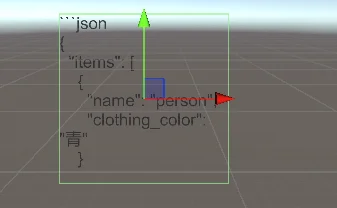
とりあえず画像解析だけはできた。
12/10
画像解析を呼び出してるスクリプトがどこなのかわからなくなったし、画像解析が呼び出されていたのに呼び出されなくなった。のが昨日の最後だったので引き続きコードをほどいてどうすればいいか考えます。
昨日動いていたしどこかで呼び出しているはずだけど唯一呼び出しているスクリプトはアタッチされていないスクリプトだし本当によくわからない。
↓
外していたと思っていたスクリプトがついていて、それが動いて呼び出されていたみたいです。
普通に私のポンでした。
スリープ時にのみ画像を送るようにできました。
コード
csharpusing System; using System.Threading; using UnityEngine; using UnityEngine.UI; using UnityEngine.Networking; using Newtonsoft.Json.Linq; using Cysharp.Threading.Tasks; using System.Linq; using ChatdollKit; public class OpenAIVision : MonoBehaviour { public WebCam webcam; public Text resultText; [SerializeField] string apiKey; [SerializeField] private AIAvatar aiAvatar; private CancellationTokenSource cancellationTokenSource; private void Start() { cancellationTokenSource = new CancellationTokenSource(); RunVisionAsync().Forget(); } private void OnDestroy() { cancellationTokenSource.Cancel(); //cancellationTokenSource.Dispose(); } private async UniTaskVoid RunVisionAsync() { Debug.Log("RunVisionAsync"); while (!cancellationTokenSource.Token.IsCancellationRequested) { //アバターのモードがスリープのときのみキャプチャする。 if (aiAvatar != null && aiAvatar.Mode == AIAvatar.AvatarMode.Sleep) { Debug.Log("isSleep,RunVisionAsync"); await ProcessImageAsync(); } await UniTask.Delay(TimeSpan.FromSeconds(1), cancellationToken: cancellationTokenSource.Token); } } private async UniTask ProcessImageAsync() { if (string.IsNullOrEmpty(apiKey)) { Debug.LogError("APIキーが設定されていません。"); resultText.text = "APIキーが設定されていません。"; return; } // webcam が初期化されるまで待機 while (webcam == null || webcam.GetFrame() == null) { await UniTask.DelayFrame(1, cancellationToken: cancellationTokenSource.Token); } //カメラ画像の作成、エンコード Texture2D camsnap = webcam.GetFrame(); if (camsnap == null) { Debug.LogError("Failed to get frame from webcam."); return; } byte[] camimageBytes = camsnap.EncodeToJPG(); string base64camImage = Convert.ToBase64String(camimageBytes); var requestData = new JObject { ["model"] = "gpt-4o-mini", ["messages"] = new JArray { new JObject { ["role"] = "user", ["content"] = new JArray { new JObject { ["type"] = "text", ["text"] = @"この画像に人が映っている場合、その人が身に着けている服の色を補足情報として追加してください。 アウトプットは以下の***に囲まれたフォーマットに従ってください。これ以外の説明や解説、余分な文字は一切含めないでください。 もし人がいない場合は""person""のオブジェクトは追加しないでください。 ***フォーマット開始*** { ""items"": [ { ""name"": ""person"", ""clothing_color"": ""<<服の色>>"" } ] } ***フォーマット終了***" }, new JObject { ["type"] = "image_url", ["image_url"] = new JObject { ["url"] = $"data:image/jpeg;base64,{base64camImage}" } } } } }, ["max_tokens"] = 300 }; string jsonRequestBody = requestData.ToString(); //HTTPメソッド using (var www = new UnityWebRequest("https://api.openai.com/v1/chat/completions", "POST")) { //ボディを送信可能な形にしている。 byte[] bodyRaw = System.Text.Encoding.UTF8.GetBytes(jsonRequestBody); www.uploadHandler = new UploadHandlerRaw(bodyRaw); www.downloadHandler = new DownloadHandlerBuffer(); //ヘッダー www.SetRequestHeader("Content-Type", "application/json"); www.SetRequestHeader("Authorization", $"Bearer {apiKey}"); var operation = www.SendWebRequest(); try { await operation.WithCancellation(cancellationTokenSource.Token); if (www.result != UnityWebRequest.Result.Success) { Debug.LogError($"Error: {www.error}"); resultText.text = $"Error: {www.error}"; } else { var jsonResponse = www.downloadHandler.text; JObject responseObject = JObject.Parse(jsonResponse); var choices = responseObject["choices"]; if (choices != null && choices.HasValues) { var message = choices[0]["message"]; var content = message["content"]; if (content != null) { string contentStr = content.ToString(); resultText.text = contentStr; bool hasPerson = ContainsPersonObject(contentStr); if (hasPerson) { Debug.Log("レスポンス内にpersonオブジェクトが含まれています。"); } else { Debug.Log("personオブジェクトは含まれていません。"); } } else { resultText.text = "No content in response."; } } else { resultText.text = "No choices in response."; } } } catch (OperationCanceledException) { Debug.Log("Request canceled"); } catch (Exception ex) { Debug.LogError($"Exception: {ex.Message}"); resultText.text = $"Exception: {ex.Message}"; } } } private bool ContainsPersonObject(string jsonResponse) { if (string.IsNullOrEmpty(jsonResponse)) return false; JObject obj; try { obj = JObject.Parse(jsonResponse); } catch { // JSONパース失敗時はfalse return false; } var items = obj["items"] as JArray; if (items == null) return false; return items.Any(item => item["name"] != null && item["name"].ToString() == "person"); } }
でも安定してJsonObjectで帰ってこない。
フォーマット開始 { "items": [], "person": { "clothing_color": "黄色" } } フォーマット終了
こうなったり、
json
“items”:[{”name”:”person”, “clothing_color”:”黄色”}] }
こうなったりする
厳格に返答を指定するのは無理っぽい。3~4回に一回の確率くらいでちゃんとJSONで帰ってきてスクリプトで認知できる形になってる。
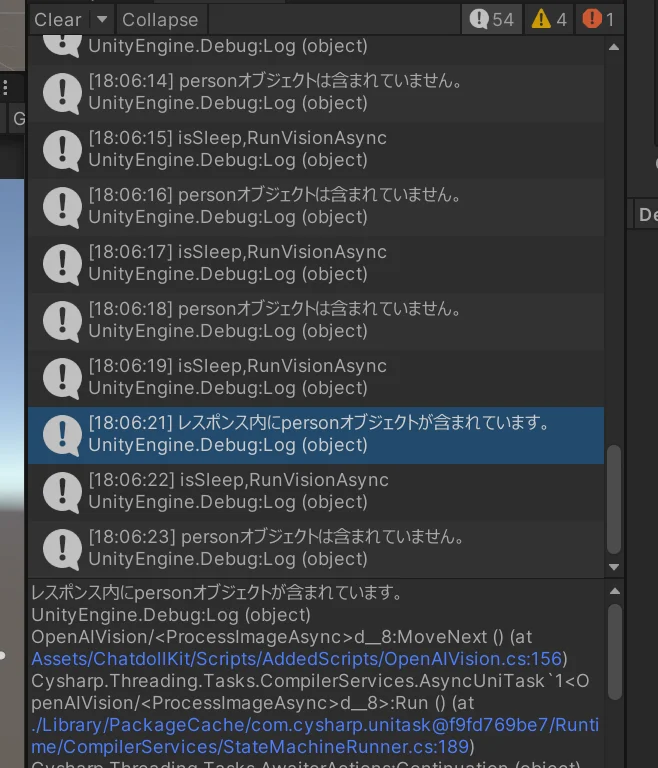
正確さは減るけど今は許容して開発を進めることにします。
理想は
「{黄色い服}を着た人がそこにいます。話しかけてください」
っていう命令を送って
「そこの{黄色い服}の人、こんにちは」
って返させたい。
SystemMessageContentを追加しました。
If I address you with color, please respond with "Hello, person wearing color clothes!"
Example: yellow Hello, person wearing yellow clothes!
できました;;
51秒くらいに話しかけてくれてます。
貢物システムを作る
貢物のサムネイルがついたボタンを用意して、それをクリックしたらサムネイルに乗っているもののプレハブを生成して、ドラッグアンドドロップで渡せるようにする。
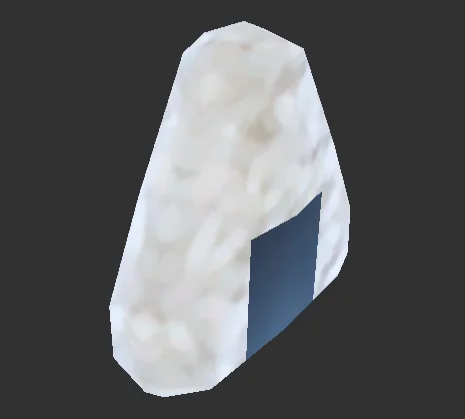
仮でおにぎり、大福、目玉焼きを用意して、
おにぎり
「おにぎりの具は何が好きですか?」
大福
「こしあんと粒あんどちらが好きですか?」
目玉焼き
「目玉焼きには何をかけますか」
ってかんじでしゃべらせてみようと思います。
応用してLKGとかVRヘッドセットのモデルを用意して渡したらあらかじめ用意させた説明をしゃべらせるみたいなことができればいいなと考えたのですがちょうどいいアセットが見つからなかったので食べ物を貢げるようにします。
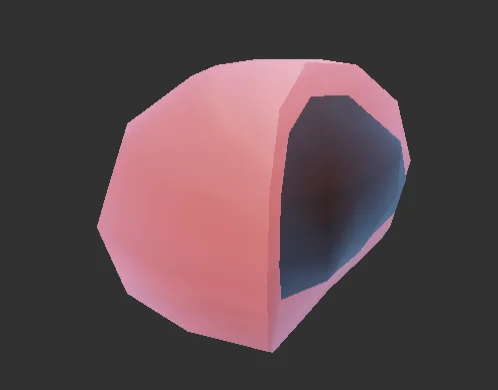
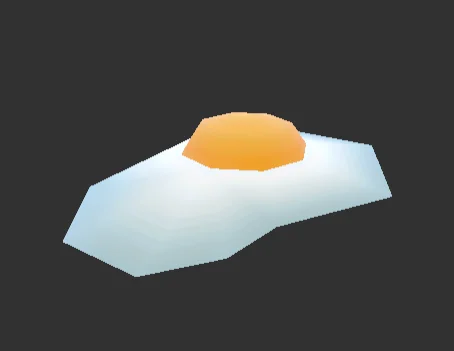
12/12
操作説明UIを追加してビルドしました。
貢物システムを引き続き作ります。
貢物を生成するシステム、みつぎ場所(collider)、の設定は終わりました。
貢物にはみつぎものtagをつけてみつぎ場所までもっていったらみつぎ場所のcolliderがtagをみて貢物かどうかを判断し、もし貢物だったらaiavatarにStartSelfTalkで話しかけるようにしました。
貢物の持っていきかたはleapmotionでやる話が出ていたのでいったん保留します。
12/13
貢物システムがきちんと動作しているか確認したい。
貢物が今の時点三種類あるのでその識別方法を考えなきゃいけない。
今後増えたり中身が変わることを考慮しないといけない。
簡単に扱えるように[Serializable]でデータクラスを作ってってしたい。
貢物のデータインターフェース
貢物のデータ
貢物のデータベースこいつをシリアライザブルにする
貢物をスポーンさせるfactoryクラス
ボタンで呼び出すためのクラス
貢物システムのマネージャ
コライダーに当たった時の処理クラス
↑こんな感じにする。
データインターフェース
csharpusing Codice.CM.Common; using System.Collections; using System.Collections.Generic; using UnityEngine; public class MitsugimonoBase:MonoBehaviour { string name { get; } public virtual void Offer() { //貢いだ時の処理 } }貢物データベース
csharpusing System.Collections; using System.Collections.Generic; using UnityEngine; [CreateAssetMenu(fileName = "MitsugimonoDataBase",menuName = "Mitusgimono/MitsugimonoDataBase")] public class MitsugiDataBase : ScriptableObject { public List<MitsugimonoData> mitsugiDataList = new List<MitsugimonoData>(); public static MitsugiDataBase Instance { get; private set; } }貢物Factory
csharpusing System.Collections; using System.Collections.Generic; using System.Linq; using UnityEngine; public class MitsugiFactory : MonoBehaviour { [SerializeField] MitsugiDataBase m_database; public MitsugimonoBase CreateMitsugimono(string name, Vector3 spawnposition) { var data = m_database.mitsugiDataList.FirstOrDefault(x => x.name == name); GameObject instance = Instantiate(data.mitsugiPrefab, spawnposition, Quaternion.identity); var mitsugi = instance.GetComponent<MitsugimonoBase>(); return mitsugi; } }貢物マネージャ
csharpusing ChatdollKit; using System; using System.Collections; using System.Collections.Generic; using UnityEngine; public class MitsugiSystemManager : MonoBehaviour { public static event Action<MitsugimonoBase> onOffered; [SerializeField] private MitsugiFactory mitsugiFactory; [SerializeField] private GameObject spawner; [SerializeField] private AIAvatar AIAvatar; private Vector3 spawnPosition; private void Start() { spawnPosition = spawner.transform.position; } public void SpawnMitsugi(string name) { MitsugimonoBase mitsugimono = mitsugiFactory.CreateMitsugimono(name,spawnPosition); } public void Offer(MitsugimonoBase mitsugi) { mitsugi.Offer(); onOffered?.Invoke(mitsugi); } }
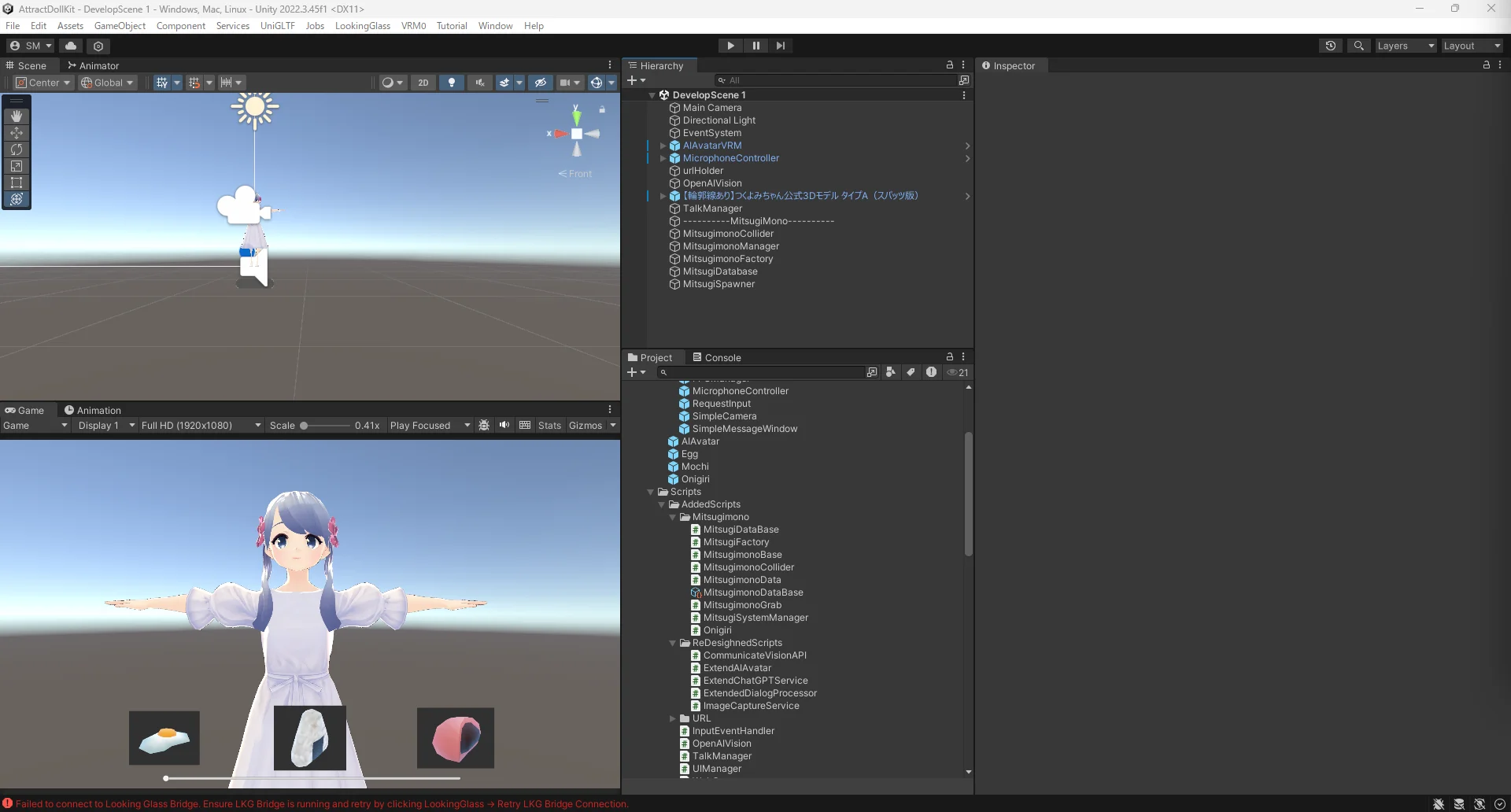
いまこんなかんじ。
12/19
leapmotionを貸していただけたのでそれのセットアップをする。
leapmotionhapticsをテストした際に必要最低限のものを入れていたと思っていたのでそのままUSB接続したけど認識されないので調べたら
デバイスごとのコントローラーがあるのでそれの手順に沿えと書いてあった、
Leap Motion Controller - Ultraleap
↑こいつ。なので入れます
できた。
↑参考にします。
カプセルハンドを配置したのに出てこない。
↓ServiceProviderの子オブジェクトになっているからでした。SerivceProviderを追加したときに自動的に選択されるのでそのまま追加すると子オブジェクトになるっぽい。
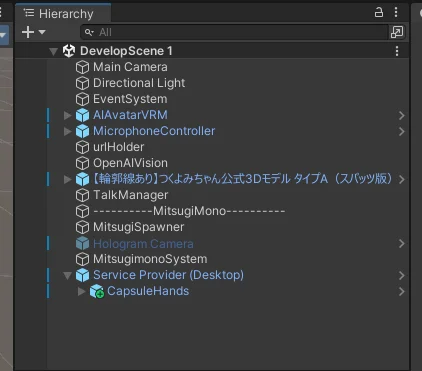
別シーンで試して↑の方法が原因だと思っていたのですが子オブジェクトから外したのですがうまくいきませんでした。なので別シーンでうまくいっていたオブジェクトたちをコピペしたらうまく動きました。
いい感じの場所に移動させたいのに動かない。
↑読んでなかった。
つかむとかしたいけどよくわからないのでultraleapが出してる教材的なもので学んでから出直します。
Your First Project: Hello Hands - Ultraleap documentation
うまくつかむのは難しいけど触ったりつかめたりするようになりました。
↓ヒエラルキー
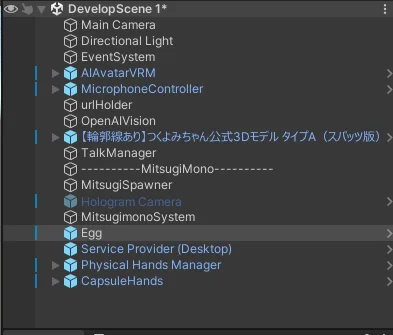
physicalhandsmanagerとserviceproviderとcapsulehandsが必要。
これらはultraleapタグから出せる。
つかみたいオブジェクトにはcolliderとrigidbodyが必要っぽい。今回は床もないし投げたいわけでもないのでusegravityのチェックは外しました。
ボタンもどうせならleapmotionで押せるようにしたい。デモ見た感じそれ用のボタンがあるっぽいかもしれないのでもう少し推理します。
↓これ
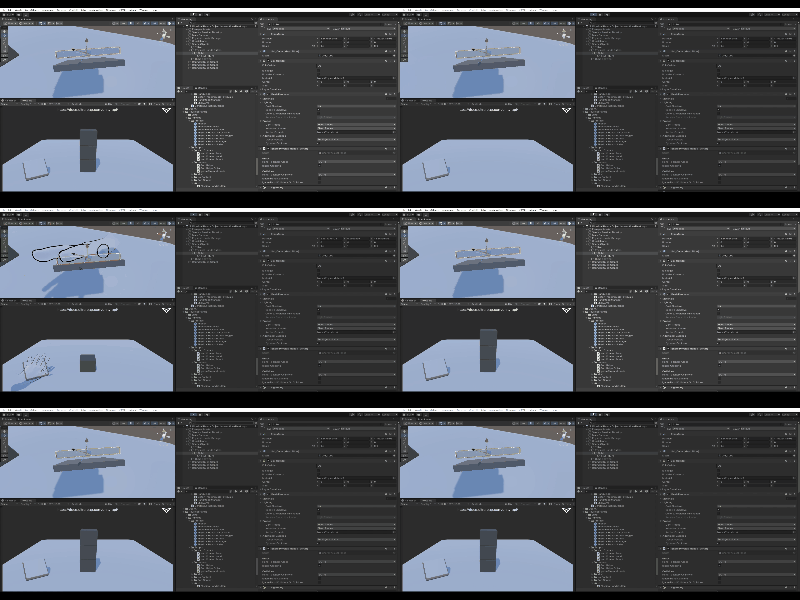
physicalhandsbuttonなるものがあった。これにマテリアル貼って使えば貢物ボタンとして使えるかもしれない。
デモですが完成しました。
直したいところ
- すぐ貢物が場外に行ってしまうので貢物ブロッカー的なコライダーを準備して消すようにしたい。
- つかめていない間はスポナーに引き寄せられる的な処理があると便利かも。
- 貢物をつかみやすくする方法があれば取り入れたい
- 貢物コライダーが見えにくいので可視化したい。
- 何かかごとか用意してそれに入れる形でもいいのかもしれない(?)
- 貢物をスポーンさせるボタンがあまりにも武骨なのでマテリアル貼るとかしたい。
- これはUIの設計が終わってからでいいかも。
つかむの難しすぎてhaptics使ってつかめたら振動するみたいな処理があればうれしいかも。
lookinglassでじっこうしてみたらすごくボタンが押しづらい。あと遠近感がつかみにくすぎる。
ボタンを押そうとすると貢物に当たってしまう、
かめらの画角とボタンの位置も再検討が必要。
12/20
UIの検討をしようと思います。
画面遷移は以下のような感じ
voicevoxurl入力画面
↓入力ボタンを押す
メインシーン
↓タブキー
モード表示、操作説明(モード切替などの)
↓タブキー
モード説明非表示
メモ:テキストボックスここで変えられそう
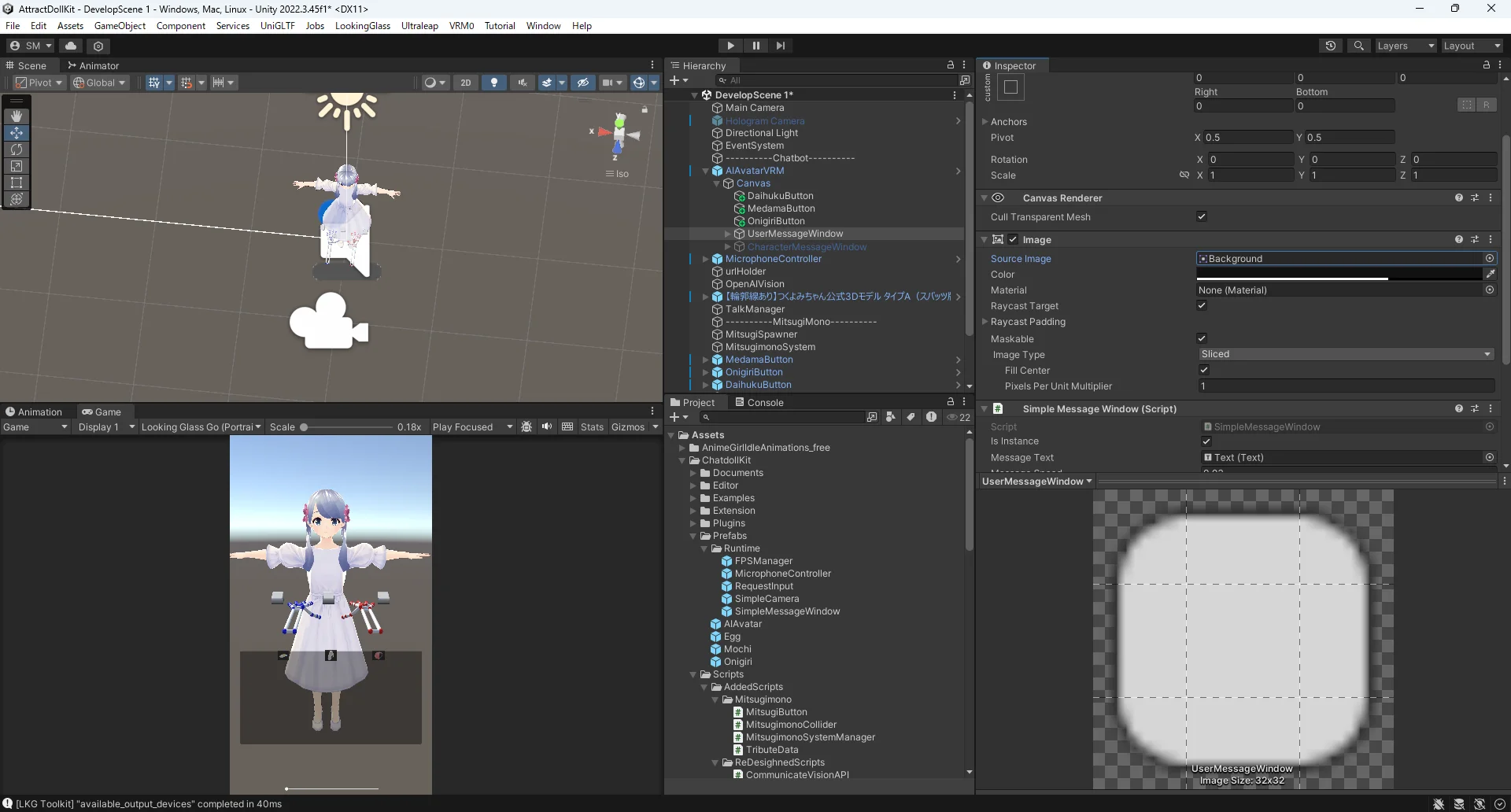
手の可動域によってUIの位置が制限されていてUIの配置が難しいです。
手の可動域は下限がserviceproviderの位置になっているっぽい。
上下の制限だけでなく前後の制限もある。
前方向の限界もserviceproviderの位置に結構近い。
素材がうまく見つからなかったので自分で書こうと思っていますがいったんはこんな感じにしようと考えています。
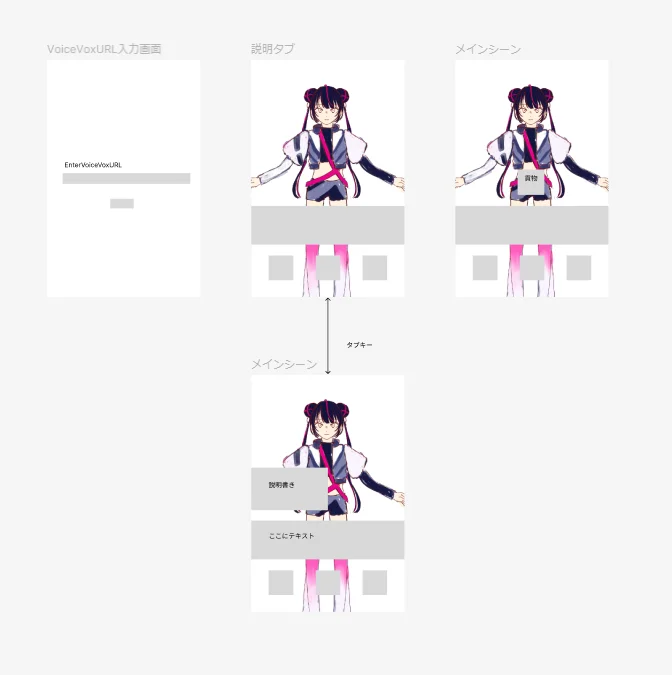
壁をつくってもあまりにも貢物を渡したり、持ったりするのがむずかしいので貢物の渡し方をもっと簡単にできるものに改善してもいいかも。
12/23
UIを手書きにすることになったので書きます。
Author: 松崎 | Source:
松崎\AttractDollKit 57d3678025b54b1cb369648e71847563.md